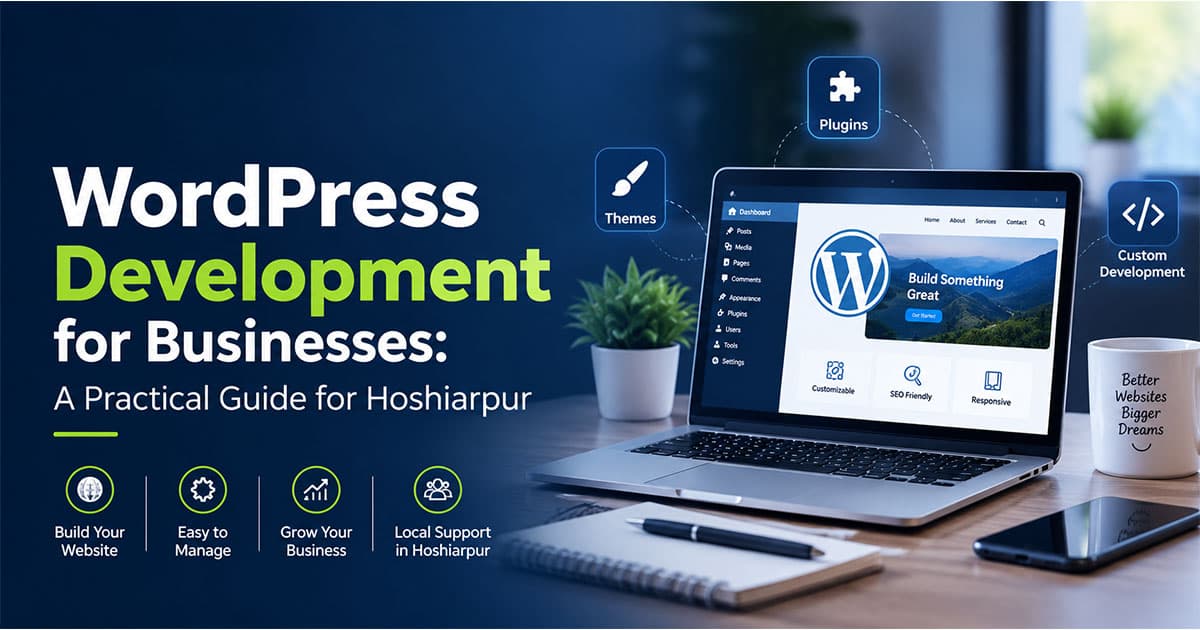
WordPress Development for Businesses: A Practical Guide for Hoshiarpur
Let's start with a small scene. A shop owner in Hoshiarpur has been running his business for fifteen years. Customers know him, they trust him, and most of his sales come through word of mouth. One day his nephew says, "Uncle, you need a website. People search on Google before they visit any shop now."
He nods, but inside he has a hundred questions. How much will it cost? Who will build it? Will it be complicated to manage? Does he need to learn coding?
If you're a student, you might be sitting on the other side of this story, wondering whether learning WordPress could make you the person who answers those questions. Let's go through it together, in plain language.
What Is WordPress, Really?
WordPress is a website-building platform that lets you create and manage a website without writing every line of code from scratch. It started as a simple blogging tool and has grown into one of the most widely used website platforms in the world. Businesses use it for everything from a simple company profile to a full online store.
Think of it like building a house with a ready-made structure. The foundation, walls and wiring are already there. You decide the layout, colours, furniture and finishing. A WordPress developer is the person who knows how to shape that structure so it actually fits the business living inside it.
WordPress Development vs. Just "Making a Website"
This distinction matters, so let's slow down here.
Anyone can install WordPress, pick a theme and add a few pages. That's basic website setup. WordPress development goes further. It means customizing themes, building custom features, making the site fast and secure, connecting it with tools the business uses, and making sure it keeps working smoothly over time.
A simple way to see the difference: a template site looks like thousands of other sites. A properly developed site looks and works like it belongs to that specific business.
Why Businesses Choose WordPress
There are good reasons so many businesses lean on WordPress. Here are the ones that actually matter to a business owner.
1. Easy content management
Once the site is built, the owner can usually update text, images, prices and blog posts on their own. They don't have to call a developer every time they want to change a phone number or add a new offer. For busy shop owners, this independence is a big relief.
2. Flexibility
WordPress can handle a simple brochure website, a service booking site, a school or coaching institute portal, a portfolio, or an online store. The same platform grows with the business.
3. Plugins for added features
Plugins are like apps for your website. Need a contact form, an appointment scheduler, a payment option or a photo gallery? There's often a plugin for it. A skilled developer knows which ones are worth using and which ones will slow the site down or create security risks.
4. Good foundation for SEO
WordPress is generally built in a way that search engines can read easily, and it offers tools to manage titles, descriptions, URLs and site structure. This matters a lot for a local business that wants to appear when someone searches for their service nearby.
5. Cost-friendly starting point
Compared with building a completely custom system from zero, WordPress is often a more practical option for small and medium businesses. The platform itself is free to use, though a business still pays for things like hosting, a domain, premium themes or plugins, and the developer's time.
What Does a WordPress Developer Actually Do?
Many students imagine this job as dragging and dropping things on a screen. Some of it is, but there's more underneath. A WordPress developer typically works on:
Theme customization, adjusting the design so the site matches the brand
Plugin setup and, when needed, custom plugin development
Speed optimization, because slow sites frustrate visitors and can hurt search rankings
Security, protecting the site from hacks, spam and outdated software
Mobile responsiveness, since most local customers browse on their phones
Integrations, such as WhatsApp buttons, payment gateways, CRMs or email tools
Maintenance, including updates, backups and fixing issues when they appear
The more of these areas you understand, the more valuable you become to a client.
A Common Doubt: "Do I Need to Know Coding for WordPress?"
Here's the honest answer: you can start without deep coding knowledge, but you'll go much further with it.
Many beginners start by using page builders and themes, which need very little code. That's a perfectly fine starting point. But when a client says, "Can you make this section behave differently?" or "Can we add a special feature for our customers?", basic knowledge of HTML, CSS, JavaScript and PHP suddenly becomes very useful.
So a practical path looks like this: begin with the visual side, then gradually pick up the coding side. You don't have to learn everything at once, and nobody expects you to.
A Quick Real-Life Example
Imagine a coaching institute in Hoshiarpur that currently takes admissions only through walk-ins and phone calls. Parents keep asking the same questions: course details, fees, batch timings, results.
A WordPress developer could build a clean website with course pages, a simple enquiry form that sends details straight to the institute's email, a WhatsApp chat button, and a blog answering common parent questions. The owner can update batch timings herself whenever they change.
Nothing about this is magical or overly complicated. But for the institute, it means fewer repeated phone calls, more enquiries arriving even at night, and a more professional first impression. That's the practical value of good WordPress development.
Why This Matters for Students in Hoshiarpur
Every kind of local business needs an online presence now: clinics, tuition centres, salons, builders, restaurants, repair shops. Many of them still have no website, or have an old one that barely works on mobile.
That's a gap, and it's also an opportunity. A student who can build a clean, fast, reliable WordPress site for a local business is solving a real problem that the owner is willing to pay for.
The Skills That Actually Matter for WordPress Development
If you're wondering where to put your energy, this is the section to read slowly. Not every skill carries the same weight, and knowing which ones matter early saves you months of wandering.
1. HTML and CSS
These are the building blocks of every web page. HTML gives a page its structure, and CSS controls how it looks. Even if you use page builders, understanding these two helps you fix small design problems that would otherwise leave you stuck.
2. Basic PHP and JavaScript
WordPress runs on PHP, so when you want to customize a theme or build a small custom feature, PHP knowledge helps. JavaScript adds interactivity, like sliders, pop-ups and dynamic forms. You don't need to master either on day one, but you'll want to grow into them.
3. Working with themes and page builders
Knowing how to use popular themes and builders like Elementor lets you deliver projects quickly. The real skill, though, is knowing when a builder is enough and when a custom approach is better.
4. Plugin knowledge
There are thousands of plugins, and not all of them are good. A developer who can pick reliable ones, avoid stacking too many, and spot the ones that slow a site down is worth a lot to a business.
5. Speed and performance
Visitors leave slow websites quickly, especially on mobile data. Learning to compress images, use caching, choose decent hosting and keep the code clean makes a visible difference to the client's results.
6. Security basics
Hacked websites are a real problem for small businesses, and most of it comes from outdated software, weak passwords and careless plugins. Knowing the basics, like regular updates, backups and strong login protection, protects your client and your reputation.
7. Basic SEO understanding
Since most businesses want their website to bring in customers, knowing how to set up clean URLs, proper headings, meta tags and fast-loading pages gives you an edge over developers who only think about design.
8. Communication with clients
This one surprises students. A lot of project trouble comes from misunderstanding, not from technical problems. Being able to ask the right questions, explain things simply and set clear expectations makes you far easier to work with.
How a Typical WordPress Business Project Works
It helps to see the whole journey once, so nothing feels mysterious.
Understanding the business. What does the owner sell? Who are the customers? What should a visitor do on the site: call, enquire, book or buy?
Planning the structure. Deciding which pages are needed and how visitors will move between them.
Choosing hosting and domain. Picking a reliable setup that fits the budget and expected traffic.
Design and development. Setting up the theme, customizing it, and building the pages and features.
Content and SEO setup. Adding text, images, titles, descriptions and local details.
Testing. Checking the site on different phones, browsers and screen sizes, and testing every form and button.
Launch and training. Publishing the site and showing the owner how to update it.
Maintenance. Keeping it updated, backed up and secure after launch.
Notice that only a few of these steps involve actual coding. Much of the job is thinking, planning and communicating, which is good news if you're not a pure "coder" type.
Common Mistakes Beginners Make in WordPress
Almost everyone makes some of these early on. Spotting them now saves you trouble later.
Mistake 1: Installing too many plugins
It feels convenient to add a plugin for every little feature. But each one adds weight and potential risk. A site with forty plugins is often slow, messy and hard to fix.
Mistake 2: Using pirated or "nulled" themes and plugins
This is tempting when you're a student with a tight budget, but it's a serious mistake. These files often carry hidden malware and can get a client's site hacked. Stick with free versions from trusted sources or properly purchased licences.
Mistake 3: Ignoring mobile view
Most customers in a city like Hoshiarpur will open a business website on their phone first. If your site looks great on a laptop but breaks on mobile, you've missed the main audience.
Mistake 4: Forgetting backups
Without backups, one bad update or one hack can wipe out months of work. Setting up automatic backups is a small task that can save a project.
Mistake 5: Focusing only on design
A beautiful site that loads slowly, has no clear call to action and can't be found on Google won't help the business much. Design is one piece, not the whole job.
Mistake 6: Skipping the client's real goal
Some beginners jump straight into building without asking what the client actually wants from the site. Always start with the goal, whether it's more calls, more admissions or more online orders. Everything else follows from that.
Is This Suitable for Complete Beginners?
Yes, and WordPress is one of the more beginner-friendly routes into web development. You can build something real fairly quickly, which keeps motivation high. Seeing your first working site, even a simple one, is a great feeling.
That said, "beginner-friendly" doesn't mean "no effort." You'll need patience when things break, and they will break. A plugin will conflict with another, a layout will shift strangely, an update will change something unexpected. Solving these puzzles is how you actually learn.
What Should You Learn First?
Here's a sensible order if you're starting from scratch:
How websites work, including domains, hosting and what a CMS is
HTML and CSS basics
WordPress fundamentals, such as posts, pages, menus, themes and settings
A page builder, so you can build real layouts quickly
Plugins, learning which ones are reliable and useful
Basic SEO and speed optimization
Security and backups
PHP and JavaScript, for customization and custom features
WooCommerce, if you want to build online stores
This order lets you start producing real work early while building the deeper skills step by step.
How Hoshiarpur Businesses Can Use WordPress Right Now
It's tempting to think a WordPress site is only for big companies with big budgets. In practice, some of the best use cases are small, local and very practical.
A clinic can list its doctors, timings and services, and let patients request appointments online. A real estate dealer can showcase properties with photos and an enquiry form on each listing. A salon can show its work, prices and a booking button. A manufacturer or supplier can present a product catalogue for buyers who search online before calling. A restaurant can put up its menu, location and a simple table-booking option.
None of these needs a giant budget or a huge team. They need someone who understands the business, picks the right tools and builds something that works properly on a phone.
That's where you come in. Local owners are usually happy to pay for a reliable developer who explains things clearly and doesn't disappear after the site goes live. That last part matters more than you'd think.
What About WooCommerce and Online Selling?
Sooner or later, a client will ask, "Can I sell my products online too?" This is where WooCommerce comes in. It's a plugin that turns a WordPress site into an online store, with product pages, a cart, checkout and payment options.
For a boutique, a home-food business or a small manufacturer in Hoshiarpur, this can open up customers well beyond the city. You don't need to learn it on day one, but once your WordPress basics are solid, WooCommerce is one of the most useful skills to add. Online store projects also tend to be more valuable to clients, which is good for you.
How Difficult Is It, Really?
Let's be honest and skip the sugar-coating. Getting a basic WordPress site running is quite easy. You could do it in a weekend. What takes time is building sites that are fast, secure, well-structured and genuinely useful to a business.
The difficult moments usually come from troubleshooting: a page that looks fine on desktop but breaks on mobile, a plugin that clashes with your theme, a site that suddenly slows down. These can feel frustrating at first. But every problem you solve adds to your instincts, and after a few projects you start spotting issues before they appear.
Most students feel the first month is the hardest, mainly because there are so many new terms. After that, things click faster than you'd expect.
Do You Need Previous Experience?
No. Students from commerce, arts, science and non-technical backgrounds have all learned WordPress and built real careers around it. You don't need a computer science degree or years of coding.
What helps is curiosity and the habit of building things. Try making a site for a family member's business or a personal portfolio. Even a simple project teaches you more than watching tutorials for weeks. Real practice, with real mistakes, is what builds confidence.
What Can You Actually Do After Learning This?
Once you're comfortable with WordPress development, several paths open up:
Freelancing, building and maintaining websites for local businesses in and around Hoshiarpur
Agency or company roles, such as WordPress developer, web designer or website executive
Maintenance and support services, offering monthly care plans for updates, backups, security and speed, which gives you steady income beyond one-time projects
WooCommerce specialist work, helping businesses set up and manage online stores
Combining skills, such as WordPress with SEO, content or digital marketing, so you can offer a complete online presence package
Your own business, whether that's a small web studio or a website for something you sell yourself
Notice that maintenance work is often overlooked by beginners. Many business owners don't want to think about updates and security at all. They'd rather pay someone reliable to handle it, and that can become a steady, dependable part of your income.
Will This Skill Actually Help Your Career?
Yes. As long as businesses want to be found online, they'll need websites, and many of those websites will run on WordPress. It's a practical, in-demand skill with a low barrier to entry and plenty of room to grow.
AI tools are changing parts of the job, since they can help draft content, suggest code and speed up routine tasks. But they don't replace the person who understands the client's needs, chooses the right structure and takes responsibility for how the site performs. Developers who pair WordPress skills with good judgment and a bit of AI assistance are in a strong position.
A Few Honest Thoughts Before You Go
If you're a student in Hoshiarpur wondering where to begin, don't let the long list of skills scare you. Nobody learns all of this at once. Start with how websites work, build a simple WordPress site, then improve it step by step.
Build something real early, even if it's small. A portfolio site, a friend's shop page, a mock website for a local business. Every project teaches you something a tutorial can't. Over time, you'll build a small portfolio, and that portfolio speaks louder than any certificate when a client is deciding whom to trust.
Local businesses around you are ready for better websites. The question is who will build them well. With patience, steady practice and a focus on solving real problems, that person could be you.
Comments
Nothing here yet. Be the first to say something.