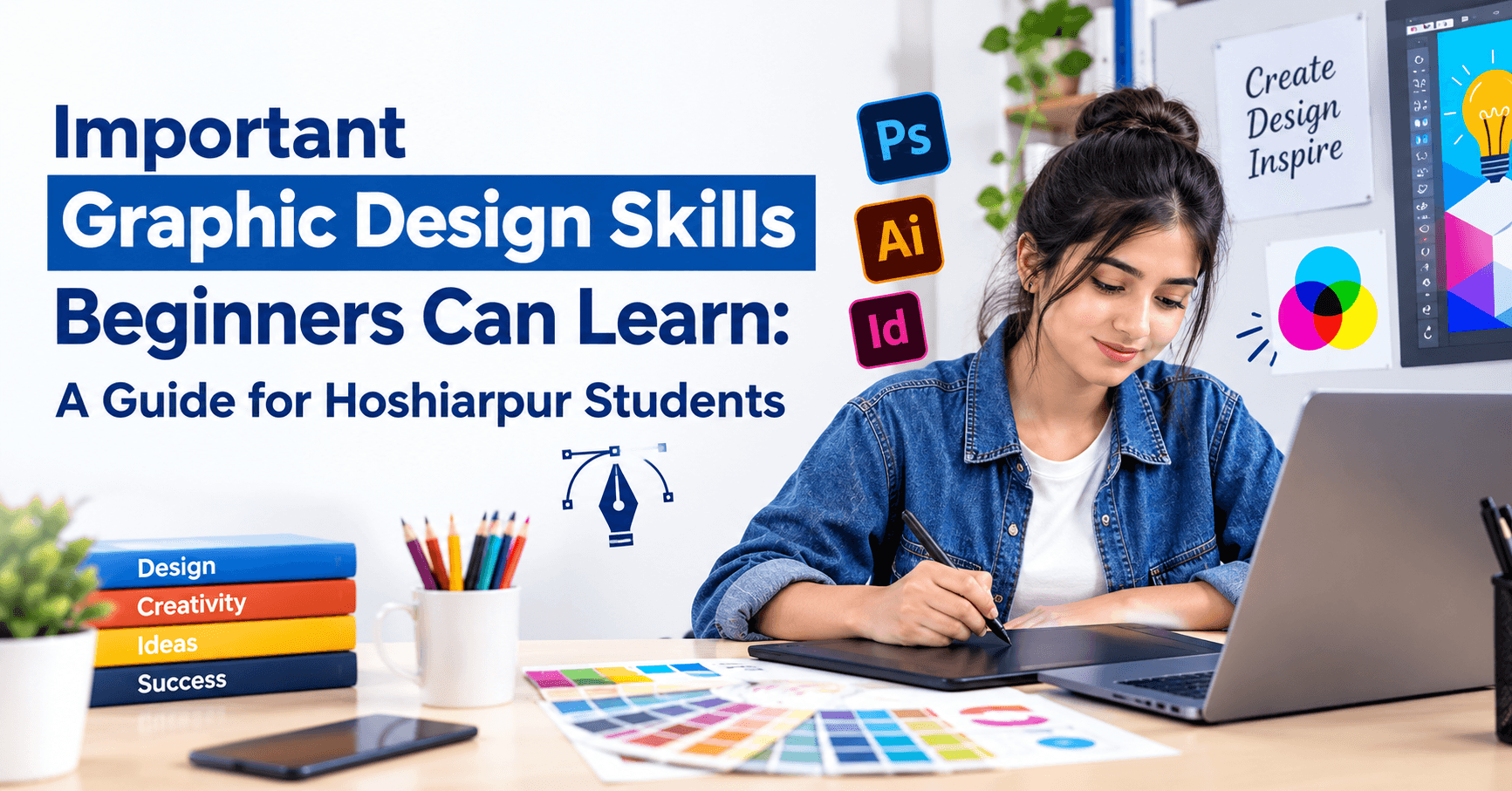
Important Graphic Design Skills Beginners Can Learn: A Guide for Hoshiarpur Students
Part 1
A friend of yours is opening a small bakery and asks you to design a poster for the opening day. You open a design app, drop in a photo of a cake, add the shop name in a fancy font, throw in some stickers and a yellow background. It feels busy and exciting. But when you stick it on the shop wall, people walk past it without reading a word.
Then you see a poster from another shop. It has one clear photo, a short headline, plenty of empty space and a phone number you can spot from three steps away. It isn’t fancy. It simply works.
The difference between those two posters isn’t talent or expensive software. It’s a handful of design skills, and all of them can be learned. This guide walks through the ones that matter most for a beginner, in an order that makes learning easier.
What Graphic Design Actually Is
Graphic design is the skill of communicating an idea through visuals, using images, text, color and layout together so people understand something quickly. A shop signboard, an Instagram post, a college fest poster, a visiting card and a website banner are all graphic design.
Notice what’s missing from that definition: drawing. You don’t have to draw well to be a good graphic designer. You need to organize information so that a person looking at it for two seconds understands what it says and what to do next. That’s a learnable skill, much closer to arranging a room than painting a portrait.
Why Skills Matter More Than Software
Many beginners start by asking, “Which software should I learn first?” Canva, Photoshop, Illustrator, CorelDRAW and Figma all come up in that conversation, and each is useful in its own way.
But software is only the tool. Two people can use the same app and produce completely different results, because one understands layout, color and text and the other doesn’t. Tools also change, with new features and new apps appearing all the time. The underlying skills stay almost the same. So it makes sense to learn the skills first and treat the software as the place where you practice them.
Skill 1: Knowing the Purpose and the Audience
Every good design starts with two questions that have nothing to do with colors: what is this for, and who is it for?
A poster announcing a coaching class should make parents and students feel it’s reliable and clear. A poster for a college music night should feel lively. A visiting card for a clinic should feel calm and trustworthy. If you don’t decide this first, you end up decorating instead of communicating.
Before you open any software, write down three things: the main message in one line, the person you’re speaking to and the action you want them to take, such as call, visit or follow. A design that can’t answer these questions usually looks confusing, however pretty it is.
Skill 2: Layout, Alignment and Spacing
Layout is how elements are arranged on the page, and it’s the quiet reason some designs look professional and others look messy.
Three habits make a big difference. Alignment means lining things up, such as text left-aligned along one invisible line, instead of scattering it randomly. Spacing means giving elements room to breathe. Beginners often fill every corner because empty space feels wasteful, but crowded designs are tiring to look at. Grouping means placing related items close together, like a heading near its description, so the eye understands what belongs with what.
A simple test: squint at your design from a distance. If you can still tell where the main message is and what’s grouped together, the layout is working.
Skill 3: Visual Hierarchy
Visual hierarchy is a fancy name for a simple idea: the most important thing should be noticed first, the next most important second and so on.
You create it using size, weight and contrast. The headline is the biggest. The offer or date is the next. The contact details are smaller but still easy to read. If everything is large and bold, nothing stands out, and the viewer doesn’t know where to look.
Try this exercise with any poster you like. Ask yourself, “What did my eye land on first, second and third?” Then check whether that order matches what the designer wanted. Doing this a few times trains your eye faster than any tutorial.
Skill 4: Color Basics
Color sets the mood before a single word is read. A beginner doesn’t need color theory in depth, just a few working rules.
Pick one main color and one or two supporting colors instead of using every shade in the app. Make sure there’s enough contrast between text and background, since light grey text on a white background looks stylish on your screen and unreadable on a phone in sunlight. Remember that colors carry feelings: blue often feels trustworthy, red feels urgent, green feels fresh and calm, yellow feels energetic. Use them with purpose.
If you’re designing for a business, stick to its brand colors. A consistent palette across posters, posts and visiting cards makes a business look organized and memorable.
Skill 5: Typography, Choosing and Using Fonts
Typography is how text looks, and it’s often the biggest difference between amateur and professional designs.
The beginner rules are simple. Use two fonts at most, such as one for headings and one for body text. Avoid decorative fonts for long sentences, because they’re hard to read. Keep enough size contrast between headings and body text. Don’t stretch or squash fonts to fit a space. And keep line spacing comfortable so paragraphs don’t look cramped.
Readability comes first. A fancy script font that nobody can read at a glance defeats the purpose of the poster. If you’re unsure, a clean, simple font almost always works better than a showy one.
A Common Doubt: “Do I Need to Be Good at Drawing or Be Creative?”
This is probably the biggest worry beginners carry, so let’s answer it plainly.
No, you don’t need to draw well. Most everyday graphic design, such as social media posts, posters, banners and brochures, is about arranging ready-made elements: text, photos, shapes and icons. That’s closer to organizing than to drawing.
As for creativity, it grows with practice. Many working designers started out thinking they weren’t creative. They learned the basic rules, studied good designs and copied the thinking, not the artwork, until they developed their own taste. If you enjoy noticing why one poster looks better than another, you already have the right instinct.
Why This Matters for Students in Hoshiarpur
Every shop, clinic, institute, boutique and restaurant around Hoshiarpur needs visuals: signboards, posters, social media posts, menus, visiting cards and festival offers. Many of them rely on a relative or a cyber café operator who has no design training, and it shows.
A student who understands these basic skills can produce clean, clear designs that make a local business look more professional. That’s a practical advantage, whether you want a job, freelance work or just better results on your own projects.
Part 2
Skill 6: Working With Images and Photos
Most designs include at least one photo, and a weak photo can pull down an otherwise good layout.
Start with the basics. Choose images that are sharp and well lit, because blurry or pixelated photos look careless once they’re enlarged. Learn to crop so the subject is clear and the distracting background is gone. Keep the resolution high enough for where the design will be used. A photo that looks fine on a phone screen may print badly on a large banner. Learn simple cleanup too, like adjusting brightness and contrast or removing a background.
Be careful about where images come from. Pulling a picture from Google and putting it on a client’s poster can cause copyright trouble. Use your own photos, images you have permission for or sources that clearly allow free commercial use, and read the licence before you use them.
Skill 7: Using Shapes, Icons and Graphic Elements Sensibly
Shapes, lines and icons help organize a design and guide the eye. A thin line can separate sections. A rounded box can hold an offer. A small icon next to a phone number makes it easier to spot.
The skill here is restraint. Beginners often add every sticker and effect they find, and the design starts to look like a noticeboard. Use elements that serve a purpose, keep them in the same style (all outlined or all filled) and leave enough empty space around them. If you remove an element and the design still communicates well, that element probably wasn’t needed.
Skill 8: Understanding Formats, Sizes and Export Settings
A design that looks perfect on your screen can fail once it’s posted or printed, usually because of size or format.
Learn the common sizes for the places you’ll design for: an Instagram post, a story, a Facebook cover, a poster, a visiting card and a banner. Know the difference between RGB (used for screens) and CMYK (used for printing), since colors can look different between the two. Understand the common file types: JPG for photos, PNG for images with transparent backgrounds, PDF for print and sharing, and SVG for scalable graphics like logos.
Also check printing basics with the press before you finalize. Many print shops ask for specific sizes, margins and bleed, which is a small extra area around the design so nothing gets cut off at the edge.
Skill 9: Learning the Core Tools
Once you understand the principles, tools become much easier. A sensible way to approach them is to start simple and add power gradually.
Canva is a friendly place to begin. It’s quick for social media posts and posters, and it teaches layout and hierarchy without overwhelming you.
Photoshop is used for photo editing, retouching and compositing, meaning combining several images into one.
Illustrator and CorelDRAW work with vector graphics, so logos and illustrations stay sharp at any size. They’re common in sign and print work.
Figma is widely used for interface and web design, and it’s good for collaboration.
You don’t need all of them at once. Pick one tool, learn it well and move on when you have a reason to. Some of these apps have paid plans or licences, so check what’s available to you before planning practice at home. Many have free versions or trial periods.
Skill 10: Basic Branding and Consistency
Individual designs matter, but a business is remembered through consistency. Using the same colors, fonts and logo style across posters, posts and visiting cards makes a brand look reliable.
As a beginner, practice building a mini brand kit for a real or imaginary business: a logo, two or three colors, two fonts and a few sample layouts. Then design a poster, a social post and a visiting card using the same kit. Seeing them side by side shows you how consistency works far better than reading about it.
Skill 11: Taking Feedback and Revising
This one sounds soft, but it separates designers who improve from designers who plateau.
Clients and teachers will say things like “make the logo bigger” or “it feels crowded.” Learn to listen for the real concern behind a comment, ask questions politely and revise without feeling attacked. A good designer treats the first version as a draft. Keep your files organized so you can go back to an earlier version, name them clearly, and save a copy before big changes.
How These Skills Work Together
None of these skills works alone. Purpose and audience decide the message. Layout and hierarchy arrange it. Color and typography give it a mood and make it readable. Images and elements add interest. Correct sizes and formats make sure it works where it’s used. Tools help you do all of it faster, and feedback helps you improve it.
Picture a simple poster for a coaching class. You decide the message is “admissions open” and the audience is parents. You choose a calm blue and white palette, one clear headline, a short list of courses, a clean photo and a visible phone number. You size it for a printed poster and export a print-ready PDF. Every skill in this guide showed up in that one poster.
Common Mistakes Beginners Make
Mistake 1: Using too many fonts and colors
Five fonts and seven colors make a design look chaotic. Two fonts and a small palette look far more professional.
Mistake 2: Filling every empty space
Empty space isn’t wasted space. It gives the eye a place to rest and makes the important parts stand out.
Mistake 3: Low contrast text
Text that doesn’t stand out from its background is hard to read, especially on phones. Test your design on a small screen.
Mistake 4: Stretching or squashing images and fonts
Distorted proportions look amateur immediately. Resize while holding the aspect ratio.
Mistake 5: Using low-quality or copyrighted images
Blurry photos and images taken without permission cause trouble. Use proper sources and check licences.
Mistake 6: Ignoring the size and format
A design made at the wrong size gets cropped or blurred. Set up the right size before you begin.
Mistake 7: Copying instead of learning
Studying good designs is smart. Copying them directly isn’t. Ask why a design works, then apply the thinking to your own work.
Mistake 8: Chasing tools instead of principles
Jumping between apps without learning layout, color and typography leaves you stuck. Learn the principles, and any tool becomes easier.
Is This Suitable for Complete Beginners?
Yes. Graphic design is one of the more beginner-friendly creative skills, because you can produce something presentable within the first few days and see your own improvement quickly. You don’t need an art background, and you can begin on a basic computer or even a phone with a free app.
The learning curve grows when you move into professional tools like Photoshop and Illustrator, which have many features. But the core principles stay the same.
Do You Need Previous Experience?
No. Students from commerce, arts, science and every other stream learn graphic design successfully. If you already enjoy making posters for college events, editing photos or making reels, you have a head start. If not, you can begin with the basics and learn through small projects.
What helps most is curiosity about why some designs work, and the patience to revise your own work.
What Should You Learn First?
Here’s a sensible order:
Purpose and audience, deciding what a design is for
Layout, alignment and spacing
Visual hierarchy
Color basics
Typography
Working with images
Shapes, icons and graphic elements
Sizes, formats and export settings
One core tool, such as Canva first, then Photoshop or Illustrator
Branding and consistency
Feedback and revision
A small portfolio of real or practice projects
This order builds your eye first and your tool skills second, which is what makes your designs look good in any software.
How These Skills Show Up Around Hoshiarpur
Think about how much visual communication a single market street needs. A coaching institute with admission banners before every session. A boutique posting festival offers on Instagram. A clinic that wants a clean signboard and visiting cards. A restaurant with a menu and a delivery poster. A property dealer who needs brochures. A local manufacturer who wants a catalogue and a logo that looks trustworthy.
All of them need design, and most of them get it from whoever happens to be available: a relative, a cyber café, a free template used without much thought. The results often show. Text is too small, colors clash, photos are blurry and the phone number is hard to find.
Picture a fresher who walks into a small print and design shop in Hoshiarpur. On the first day, the owner says, “A customer wants a flex banner for his clinic and a matching visiting card. Here are the details.” Someone who has practiced the skills in this guide asks what the clinic wants people to do, picks a calm palette, sets a clear hierarchy, checks the sizes and prepares a print-ready file. Someone who hasn’t might spend hours decorating and still end up with a banner nobody reads.
Owners notice that difference quickly. They don’t expect a beginner to know everything. They notice who asks the right questions, who keeps designs clean and who checks the file before it goes to print.
How Difficult Is It, Really?
Let’s be honest. The basic principles of design are easy to understand and take longer to apply well. You can learn what hierarchy and contrast mean in an afternoon. Using them on a real poster, for a real client, with a cluttered brief and a tight deadline is what takes practice.
The first few weeks usually feel slow. Your early designs may look crowded, your colors may feel off and your tool skills will be clumsy. That’s normal. Your eye improves faster than your hands, so you’ll often see that something looks wrong before you know how to fix it. That gap is uncomfortable, but it’s also a sign that your taste is developing.
Professional tools like Photoshop and Illustrator have a real learning curve, because they offer so many features. A good approach is to learn only what you need for the next project and add more as you go.
One practical point: some design software is paid or licensed, and it needs a reasonably capable computer. Many students begin with free tools and use lab computers or student plans for the paid ones. Check current pricing and system requirements before you plan your practice.
A Simple Four-Week Practice Plan
If you’d like a structure, try this one. It assumes about forty-five minutes a day.
Week 1: Train your eye
Collect ten posters or posts you find effective and ten you find messy. For each, write one line on why. Then recreate one good layout in your own words and colors, changing the content completely.
Week 2: Layout, hierarchy and type
Design three simple posters for an imaginary local business. Use one headline, one supporting line and one contact detail each time. Limit yourself to two fonts and a small color palette.
Week 3: Images, sizes and formats
Practice cropping and cleaning photos. Design one Instagram post, one story and one printable poster, setting the right size for each. Export them in the correct formats and check how they look on a phone.
Week 4: A mini brand project
Create a small brand kit for an imaginary business: a simple logo, colors, fonts, a poster, a social post and a visiting card. Ask someone for honest feedback and revise your work once.
At the end, you’ll have a small set of designs you can describe and show.
Build a Small Portfolio
A portfolio is the most convincing proof of your skills, and you don’t need paid clients to start one. Three or four clear projects are enough.
Choose projects that show range: a poster, a social media set, a logo with a brand kit and a printed item such as a visiting card or a brochure. For each, add a short note on the goal, the audience and one decision you made, such as why you picked a particular color. Keep the presentation clean and consistent. If you design for a real local business, ask for permission before you include it, and be honest about what you did and what the business supplied.
Two or three well-finished designs will usually do more for you than twenty rushed ones.
What Can You Do After Learning These Skills?
Once you’re comfortable with them, several paths become realistic:
Junior graphic designer roles, in design studios, print shops, marketing agencies and company marketing teams
Social media designer or creative assistant roles, preparing posts, banners and campaign visuals
Freelance design work, such as posters, logos, menus, brochures and social media kits for local businesses
Support roles in digital marketing, where design and content go together
Print and signage work, preparing artwork for flex, vinyl, brochures and packaging
Further specialization, such as branding, UI and UX design, motion graphics or video editing
Designing for your own venture, if you start a business or a content channel
None of these is guaranteed, and results depend on your skills, portfolio and the openings available. But design skills pair well with many other fields, which keeps your options open.
Will These Skills Actually Help Your Career?
For creative, marketing and media paths, yes. Almost every business needs visuals, and people who can produce clear, consistent ones are useful in many kinds of teams. Design also combines well with other skills. Add digital marketing, and you can run a business’s online presence. Add web development, and you can build and design websites.
AI tools can now generate images and layouts quickly. They’re useful for ideas and rough drafts, but they don’t remove the need for design judgment. Someone still has to decide what message a design must carry, who it’s for, whether the text is readable and whether the result looks right for the brand. Someone also has to check that an AI-made image doesn’t copy another person’s work or break a licence. People who understand the fundamentals use these tools better, because they can tell a good result from a bad one.
A fair caution: design is a competitive field, and building a skill takes time. Strong fundamentals, a real portfolio and the ability to take feedback matter more than any single tool.
Tips to Keep Improving
Study good design every day. Notice posters, packaging, signboards and posts, and ask why they work or don’t.
Practice with real briefs. A poster for a real event teaches more than a random template.
Keep it simple. One message, one main image and one action almost always beats a crowded layout.
Ask for honest feedback. Show your work to a trainer, a friend or a business owner and listen carefully.
Keep your files organized. Name files clearly, keep original images and save versions so you can go back.
Respect copyright. Use images, fonts and music you have the right to use.
Learn one tool at a time. Depth in a single tool beats shallow knowledge of five.
A Few Honest Thoughts Before You Go
If there’s one idea to take from this guide, it’s that graphic design is mostly clear thinking made visible. Purpose and audience come first. Layout, hierarchy, color and type organize the message. Images and elements support it. Sizes and formats make sure it works where it’s used. Tools simply help you do all of that faster.
Start small. Take one poster, one message and one action, and make it clean. Expect your early work to look rough, and compare it with your own earlier attempts instead of with a designer who has ten years of practice. Your eye will improve before your hands do, and that’s a good sign.
You don’t need to draw well, own expensive software or have a special background. You need curiosity, regular practice and the patience to revise.
For students in Hoshiarpur who enjoy visuals and want a practical, creative skill that local businesses genuinely need, graphic design is a worthwhile place to begin. Design one simple poster this week, ask someone what they see first, and keep improving from there.
Comments
Nothing here yet. Be the first to say something.