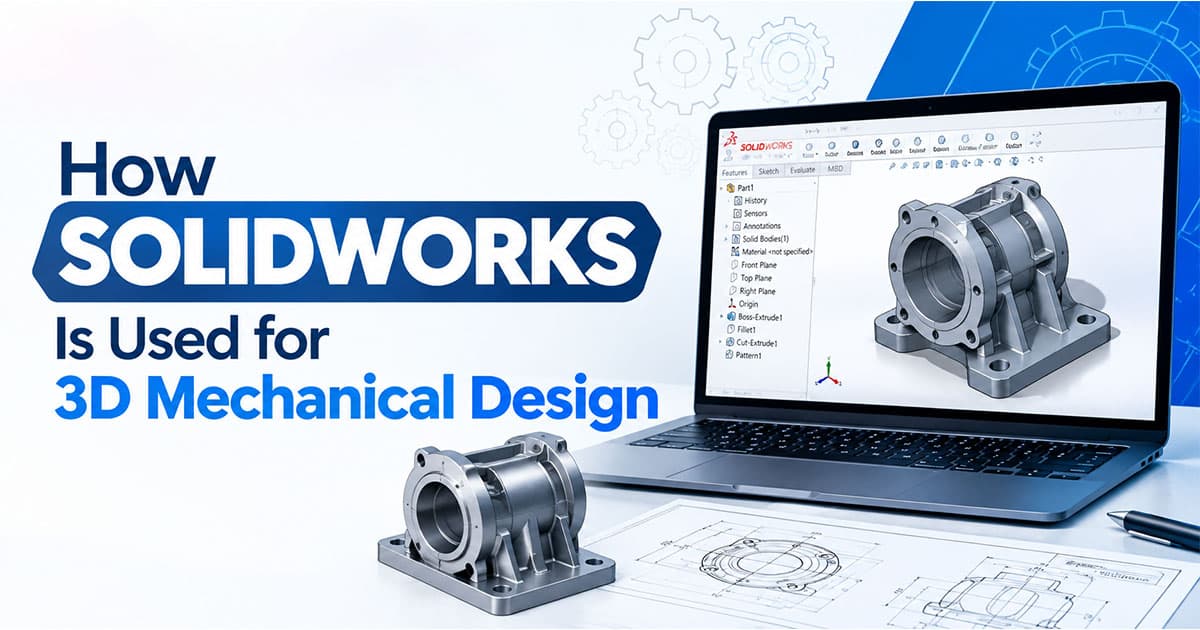
How SOLIDWORKS Is Used for 3D Mechanical Design: A Guide for Hoshiarpur Students
Part 1
Picture a small fabrication workshop. A customer walks in with a damaged bracket from a machine and says, “Can you make me ten more of these, but a little stronger?” In the old way of working, someone measures the broken piece, draws it on paper, argues about the thickness, and finds out only after cutting the metal that the holes don’t line up with the machine.
Now picture the same job where the part is first built on a computer. You model the bracket, thicken one section, check that it fits against the machine’s mounting plate, and only then send it for cutting. If something is wrong, you find out on screen, where mistakes cost nothing.
That’s the everyday value of SOLIDWORKS in mechanical design. If you’re a student in Hoshiarpur studying mechanical, production or diploma engineering, or just curious about how machine parts are designed, this guide explains what it does in plain language.
What Is SOLIDWORKS, in Simple Words?
SOLIDWORKS is 3D CAD software, made by Dassault Systèmes, that is widely used to design mechanical parts, machines and products. CAD stands for Computer-Aided Design.
Instead of drawing flat lines, you build a solid digital model of a real object. You can rotate it, cut through it, see how it fits with other parts and then produce the drawings a workshop needs to make it. Think of it as a virtual workshop where you can build and test an object before spending any money on material.
It works on Windows computers, and it’s a professional tool, so it needs a reasonably capable machine to run smoothly. If you plan to practice at home, check the current system requirements first.
How 3D Mechanical Design Differs From 2D Drafting
Many students come to SOLIDWORKS after learning AutoCAD, so it helps to see how the two differ.
In 2D drafting, you draw views of an object, such as the front, top and side, as flat lines. Each view is drawn separately, and it’s up to you to keep them consistent. In 3D modelling, you build the object once as a solid, and the views come from the model automatically.
A simple picture: 2D drafting is like describing a chair with three separate photographs. 3D modelling is like holding the chair in your hands. You can still produce the photographs, but they come from the real thing, so they can’t disagree with each other.
Many workshops and companies still use both. 2D drawings remain common for sharing and manufacturing, but the design itself increasingly starts in 3D.
The Three Building Blocks of SOLIDWORKS
Almost everything in SOLIDWORKS falls into three types of files. Once you understand these, the software stops looking mysterious.
1. Parts
A part is a single component, like a shaft, a bracket, a gear or a bolt. You create it by drawing a 2D sketch and then turning it into a 3D shape using features such as extrude (pulling a sketch into a solid), revolve (spinning a sketch around an axis), cut (removing material) and hole.
2. Assemblies
An assembly brings several parts together, like a shaft inside a housing with bearings and a cover. You place the parts and define how they relate to each other using mates, such as “this shaft sits concentric with that hole” or “this face rests flat against that face.” You can then check whether everything fits and moves the way it should.
3. Drawings
A drawing is the 2D document made from a part or an assembly. It carries the views, dimensions, tolerances, notes and a title block, so that a workshop or a manufacturer can make the part. Because the drawing is linked to the model, a change in the model can carry through to the drawing.
Part, assembly, drawing. That three-step flow is the backbone of mechanical design work.
How a Part Is Actually Built
Beginners often imagine that 3D modelling means sculpting a shape by hand. It’s much more logical than that, and that’s why it’s learnable.
A typical part goes like this. You choose a plane, such as the front plane, and draw a sketch, say a rectangle with a circle in it. You add dimensions and relations, such as “this line is 50 mm” or “these two lines are equal,” until the sketch is fully defined. Then you extrude it to give it thickness. Next, you add a hole on one face, round the sharp edges with a fillet and maybe cut a slot. At every step, the software records what you did in a list called the feature tree, so you can go back and change the thickness or the hole size later and the whole part updates.
This “change a number, watch the model update” behavior is called parametric modelling, and it’s one of the biggest reasons designers like SOLIDWORKS. A design change that would mean redrawing everything on paper becomes a few seconds of editing.
Where SOLIDWORKS Is Used in Real Work
Here are the kinds of work where it shows up most.
Machine parts and components. Brackets, shafts, flanges, housings, gears and fasteners are all modelled before they’re manufactured.
Product design. Everyday products, from a tool handle to a small appliance body, are often shaped in 3D before a prototype is made.
Sheet metal and fabrication. SOLIDWORKS has dedicated tools for bent and folded sheet metal parts, including flat patterns that show how to cut the sheet before bending. This is useful for enclosures, panels and brackets.
Frames and structures. Welded frames and structural layouts can be modelled with weldment tools.
Jigs, fixtures and tooling. Workshops design holding devices and tools in 3D to make production easier and more repeatable.
Preparing for manufacturing. Models can be exported for CNC machining, 3D printing or laser cutting, depending on the workflow the workshop uses.
Basic checking and simulation. Some versions include simulation tools that give a basic idea of how a part behaves under load. These features depend on the version and licence, and they support engineering judgment but don’t replace it.
A Common Doubt: “Is SOLIDWORKS Only for Big Companies?”
Many students assume that powerful 3D software belongs only in large factories. It’s true that big companies use it heavily, but it’s also useful at smaller scales.
Workshops, tool rooms, fabrication units and small product startups can all benefit from modelling a part before making it. Mistakes caught on screen save material, time and money, and that matters even more for a small business with tight margins.
For a student, that means the skill isn’t limited to large employers in big cities. It can support work in smaller shops, in freelance design and in further engineering studies.
Why This Matters for Students in Hoshiarpur
Punjab has a strong tradition of manufacturing and workshop work, from tool rooms and fabrication units to auto parts, machinery and product making in nearby industrial towns. Workshops in and around Hoshiarpur also depend on accurate drawings, and many collaborate with larger industries in the wider region.
For a mechanical, production or diploma student, SOLIDWORKS skills make you easier to hire, because you can turn an idea into a model and a model into a drawing that a workshop can actually use. That is a practical advantage close to home.
Part 3
How This Looks in Workshops and Industry Around Hoshiarpur
Think about the kinds of mechanical work that happen in and around Hoshiarpur: fabrication shops making frames and enclosures, tool rooms producing jigs and fixtures, small units that machine parts for larger manufacturers, workshops that repair and rebuild machinery, and product makers who turn an idea into something people can use.
All of them share a common problem. A part has to be described clearly enough that someone else can make it, and the first attempt should be right. When a drawing is vague or a dimension is wrong, the cost shows up as wasted metal, lost days and unhappy customers.
Picture a young designer joining a small fabrication unit. On the first week, the owner hands over a damaged part and says, “Model this, improve the thickness and give me a drawing for the cutting shop.” Someone who has practiced the skills in this guide measures the part, builds it in a few steps, checks it against the mating piece, and produces a clean drawing. Someone who hasn’t might spend days in confusion, with a model that breaks every time it’s edited.
Owners notice that difference quickly. They don’t expect a beginner to know everything. They notice who thinks about how the part will be made, who double-checks dimensions and who asks before guessing.
How Difficult Is It, Really?
Let’s be honest. SOLIDWORKS is not the easiest software to pick up, but it’s far from impossible. It’s logical, and its logic repeats: sketch, feature, assembly, drawing.
The first few weeks are usually the hardest. You’ll deal with sketches that turn blue or red because they’re not fully defined, features that fail with an error message, and mates that fight each other. It’s normal to spend an hour fixing something that turns out to be a missing dimension. These moments are frustrating, but they’re also where real understanding forms.
The harder part isn’t the software. It’s the engineering thinking behind it: knowing how a part will be made, how it will be loaded and whether a design is sensible. That comes with practice, workshop exposure and a habit of asking questions.
One practical point: SOLIDWORKS is licensed software, and it needs a capable computer. Students often practice in a training lab or use a student licence where one is available. Check the current licensing and system requirements before you plan home practice.
A Simple Four-Week Practice Plan
If you want a structure, try this plan. It assumes about forty-five minutes of practice on most days, ideally on a machine where the software is available.
Week 1: Sketching and basic parts
Learn the interface and file types. Practice sketches with dimensions and relations until they’re fully defined. Model three simple parts, such as a plate with holes, a stepped shaft and a simple block with a slot.
Week 2: More features and better habits
Add fillets, chamfers, patterns and mirrors. Model a bracket, a flange and a simple housing. Pay attention to feature order and rename key features so the tree is readable.
Week 3: Assemblies
Build a small assembly, such as a shaft in a bearing block with a cover plate. Use mates carefully. Run an interference check and fix any clash.
Week 4: Drawings and a portfolio project
Create drawings of two of your parts, with proper views, dimensions and a title block. Then complete one small project from start to finish, such as a simple vice, a pulley and shaft set or a small motor mount, and save it neatly.
By the end, you’ll have a small set of models and drawings you can describe and show.
Build a Small Portfolio
You don’t need job experience to show your skills. Two or three clear projects are enough.
For each, include a few screenshots of the model, one exploded or assembly view and a clean drawing. Add a short note on what the part does, what you modelled and any problem you solved, such as fixing an interference. Keep the files organized and the drawings neat, because tidy work signals care.
If you can, model something you’ve actually seen or measured, like a bracket from a workshop or a household object. Real measurements make a portfolio more convincing than copied tutorial parts.
What Can You Do After Learning SOLIDWORKS?
Once you’re comfortable with it, several paths become realistic:
Junior design or CAD roles, in engineering firms, product design offices and manufacturing units
Draftsman or CAD operator positions, preparing models and manufacturing drawings
Support roles in fabrication and tool rooms, helping design jigs, fixtures and parts
Freelance modelling and drawing work, for workshops, startups and individual customers
A stronger base for further study, including advanced CAD, simulation, CAM or product design
Combined skills, such as SOLIDWORKS with AutoCAD, so you can handle both 3D design and 2D drafting
None of these is guaranteed, and results depend on your skills, portfolio and the openings available. But a working knowledge of 3D design, backed by real examples, gives you something concrete to show.
Will This Skill Actually Help Your Career?
For mechanical, production and design-related paths, it can. Many employers in manufacturing and engineering look for CAD skills, and 3D modelling is a common expectation for design roles. Even where a company uses different CAD software, learning one major package well makes the next one easier, because the core ideas carry over.
It also sharpens your thinking. Modelling forces you to consider how parts fit, how they’re held and how they’ll be made. That awareness helps whether you stay in design, move into production or one day run your own workshop.
A fair caution: software alone doesn’t make an engineer. Employers also value an understanding of materials, manufacturing processes, tolerances and drawing standards. Keep building those fundamentals alongside the software. And for safety-critical or heavily loaded designs, the judgment of a qualified engineer matters far more than anything a beginner’s model shows.
Tips to Stand Out as a Beginner
Model real objects. Measure something physical and rebuild it. It teaches more than copying a tutorial.
Think about manufacturing. For every part, ask how it would be cut, bent or machined.
Keep sketches fully defined. It’s a small habit that prevents many errors.
Name features and files clearly. Tidy work is easier to edit and easier for others to understand.
Check your assemblies. Run interference checks, and test whether moving parts actually move.
Learn from workshop people. A short conversation with a machinist or fabricator can teach you things no software tutorial will.
Pair it with AutoCAD. Many workplaces use both, and knowing the two together makes you more flexible.
A Few Honest Thoughts Before You Go
If there’s one idea to take from this guide, it’s that SOLIDWORKS is a way of thinking before it’s a piece of software. You decide what a part must do, build it as a model, test it against its neighbors and then describe it clearly for the person who will make it. The software simply makes each of those steps faster and safer.
Start small. Learn to sketch properly, build a few simple parts, assemble them and make a drawing. Expect early frustration, and treat each error message as a clue, not a verdict. Everyone who now works comfortably in SOLIDWORKS once stared at a red sketch wondering what they’d done wrong.
You don’t need to be a natural genius. You need regular practice, curiosity about how things are made and the patience to finish small projects completely.
For students in Hoshiarpur interested in mechanical design, manufacturing and product development, SOLIDWORKS is a worthwhile skill to start building. Pick one simple part this week, model it carefully and keep going from there.



Comments
Nothing here yet. Be the first to say something.