Part 1
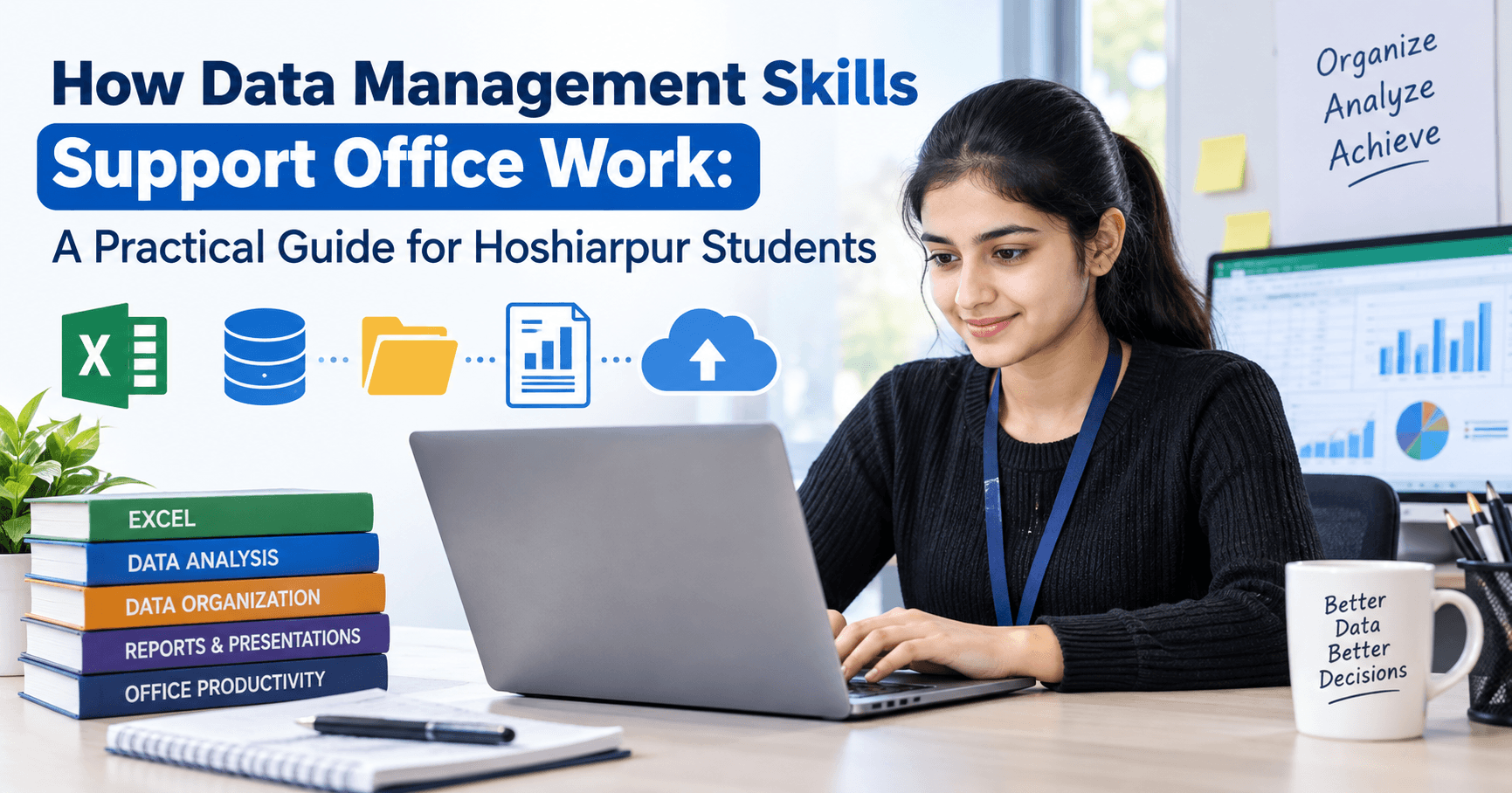
How Data Management Skills Support Office Work
Picture a small office in Hoshiarpur on a Monday morning. A coaching institute is sorting out fee records. A local distributor is checking last week’s stock. A clinic’s front desk is trying to find a patient’s file from three months ago. Different businesses, same problem: somewhere in the room, someone is hunting for information.
Whoever can find it quickly, keep it tidy and make sense of it usually becomes the most valuable person in that office. That skill has a plain name: data management.
If the term sounds heavy or technical, relax. Nothing about it is out of reach for a student, and by the end of this blog you’ll see why it matters so much for your first job.
So, What Exactly Is Data Management?
Data management means collecting information, storing it properly, keeping it accurate and using it when needed. That’s all.
Every office deals with this daily, even if nobody calls it by that name:
A list of customers with phone numbers
Monthly sales figures
Employee attendance
Invoices and payment status
Student admissions or inquiry records
When this information sits in a messy Excel sheet with five versions named “final”, “final-2” and “final-new”, work slows down. When it’s organised properly, the same task takes ten minutes instead of two hours.
So data management isn’t really about computers. It’s about being organised with information, using the right tools to do it.
Why Offices Care About This So Much
Ask any office manager what wastes the most time, and you’ll hear some version of the same answer: “Finding things and fixing mistakes.”
Think about a small trading firm that tracks orders on paper registers. A wrong entry in one register means a wrong bill, which means a call to the customer, which means an awkward conversation and sometimes a lost client. One careless mistake can cost a lot more than the few minutes it would have taken to enter the data correctly.
Offices that manage data well gain a few clear advantages:
They save time. Searching, filtering and sorting take seconds when records are structured properly.
They make fewer mistakes. Clean data means fewer wrong calculations, duplicate entries and missing details.
They make better decisions. When an owner can see which product sells best or which month is slowest, guessing stops and planning begins.
They look professional. A client who gets an accurate, well-formatted report quickly trusts you more. People notice this even when they can’t say why.
A Day in an Office, Seen Through Data
Let’s walk through a regular day for someone working in an admin or accounts role. You’ll see data management showing up in places you might not expect.
9:30 AM. You open the attendance sheet and mark who is present. If the sheet is set up well, a formula already counts monthly attendance for you. If not, you count manually at the end of the month, and one slip means a wrong salary calculation.
11:00 AM. Your manager asks, “How many customers from Hoshiarpur placed orders last month?” With organised data, you filter the list and answer in a minute. Without it, you open six files and hope for the best.
1:30 PM. A client calls about a pending payment. You search the invoice record, find the date and amount, and reply confidently. Nobody has to call back.
4:00 PM. The owner wants a quick summary for tomorrow’s meeting. You pull a few numbers into a simple table or chart, and you look prepared.
None of this requires advanced coding or a degree in statistics. It needs comfort with spreadsheets, a habit of keeping records clean, and an understanding of how to turn raw numbers into something readable.
“Is This Really for Me?” Questions Students Ask
Let’s address the doubts that usually come up before anyone starts learning this.
“I’m not from a computer background. Can I still learn this?”
Yes. Many people who are good at data work started with zero technical knowledge. If you can follow a step-by-step process and pay attention to detail, you’re already halfway there. Data management rewards carefulness more than genius.
“Do I need to know programming?”
Not to begin with. Most office roles use tools like Excel and Google Sheets, along with basic database ideas. Programming can come later if you want to go further, but it isn’t a requirement for getting started or for getting hired.
“Will this actually help me get a job?”
Almost every office job today touches data in some form. Accounts, HR, sales support, administration, operations, customer service and even front desk roles all use it. Employers constantly look for people who can handle records without needing to be taught from scratch. When two candidates look similar on paper, the one who can work confidently with data usually has the edge.
“I’m a fresher. Is it too early?”
Quite the opposite. Starting early gives you an advantage. Many students finish college and then realise their first job expects practical computer skills that no classroom ever covered. Learning these basics while you’re still a student, even a little each week, puts you ahead of most of the people applying alongside you.
The Hidden Skill Behind Good Data Handling
Here’s something that rarely gets mentioned: data management isn’t only about tools. A big part of it is habit.
People who handle data well tend to share a few small habits:
They name files clearly so anyone can find them later.
They enter information in a consistent format, say always writing dates the same way.
They double-check numbers before sending anything out.
They keep a backup instead of trusting a single file.
These habits sound basic, but they separate someone who is “okay with computers” from someone a manager actually trusts with important records. And the best part is that you can build all of them from day one.
At techcadd in Hoshiarpur, this is exactly the kind of practical thinking students are encouraged to develop. Learning where each button is matters less than learning to think about information the way an office does.
In Part 2, we’ll look at the specific skills that make up data management, like spreadsheets, data entry accuracy and basic reporting, and how each one shows up in real office tasks.
Part 2
The Core Skills That Make Up Data Management
Data management isn’t one skill. It’s a handful of smaller ones that work together. Here are the ones that show up most often in everyday office work, and what each looks like in practice.
1. Spreadsheet Skills (Excel and Google Sheets)
If data management had a home base, it would be the spreadsheet. Nearly every office in Hoshiarpur, from a small shop to a larger company, runs on Excel or Google Sheets in some way.
The basics that make a real difference:
Sorting and filtering: Finding all pending payments, or all customers from one area, in seconds.
Simple formulas: SUM, AVERAGE, COUNT and IF handle most day-to-day calculations.
Lookup functions: VLOOKUP or XLOOKUP pull a customer’s details from a big list without scrolling through hundreds of rows.
Formatting: Clear headings, readable columns and consistent number formats make a sheet look professional.
A good example is a shopkeeper’s monthly sales sheet. With three or four formulas set up once, totals and averages update by themselves every time a new sale is entered. No calculator, no end-of-month panic.
2. Accurate Data Entry
This sounds like the easiest skill on the list, and it’s the one people underestimate most.
Accurate data entry means typing the right information in the right place, in a consistent format, every single time. One wrong digit in a phone number means a customer can’t be reached. One misspelled name means a record can’t be found later. A date typed as “03/04” in one row and “3 April” in another can break a report completely.
Some habits that help:
Decide on a format before you start (dates, phone numbers, names) and stick to it.
Use drop-down lists wherever possible so people choose instead of typing.
Read through your entries once before saving, especially numbers.
Speed matters too, but accuracy matters more. A fast typist who makes errors creates extra work for everyone downstream. A careful one saves the whole team time.
3. Data Cleaning
Real-world data is rarely tidy. You’ll often receive sheets with duplicate rows, extra spaces, blank cells, names written three different ways or numbers stored as text. Fixing this is called data cleaning, and it’s a quietly valuable skill.
Imagine an institute in Hoshiarpur that collects admission inquiries from a website form, phone calls and walk-ins. The same student might appear twice, once as “Simran Kaur” and once as “simran kaur “. Someone who knows how to remove duplicates, trim spaces and standardise text can turn that mess into a usable list in a few minutes.
Most of the cleaning tools sit right inside Excel. Remove Duplicates, TRIM, Find and Replace and Text to Columns will take you surprisingly far.
4. Organising Files and Records
Not all data lives inside a spreadsheet. Offices also handle scanned documents, PDFs, invoices, letters and photos, and these pile up fast.
A simple, logical folder structure solves most problems. For example:
Year → Month → Type of document
Client name → Project → Invoices / Agreements / Reports
Add clear file names such as Invoice_RajSharma_Oct2026 instead of scan0023, and anyone on the team can find what they need without asking you. It takes a few extra seconds per file and saves hours over a year.
5. Basic Reporting and Charts
Collecting data is only half the job. The other half is making it understandable to someone who has no time to read through rows of numbers.
This is where basic reporting comes in. Pivot tables summarise large lists quickly, showing, say, total sales per product or total fees collected per month. Simple charts then turn those summaries into pictures: a bar chart for comparing, a line chart for tracking change over time.
Here’s a small scenario. Your manager asks which course got the most inquiries last quarter. You can either send a spreadsheet with 400 rows or a single clean chart with a short note. Guess which one gets you noticed in a good way.
6. Understanding Basic Databases
You don’t need to become a database expert, but knowing the idea helps. A database is a structured way to store information so that it can be searched and updated reliably, especially when there’s too much for a spreadsheet to handle comfortably.
Many offices use accounting software, CRM tools or school management systems, and these are databases working in the background. If you understand how records, fields and tables connect, you’ll pick up any of these tools far more easily.
7. Data Security and Backups
Offices hold sensitive information: customer details, salary records, bills, personal documents. Handling it responsibly is part of the job.
The basics are simple. Use strong passwords, don’t share sensitive files casually over WhatsApp groups, restrict access when needed and keep regular backups. A crashed computer shouldn’t mean months of lost records. People who treat data carefully earn trust quickly, and trust leads to responsibility.
Mistakes Beginners Often Make
Everyone slips up when they’re starting out. Knowing the usual traps helps you avoid them.
Merging cells everywhere. It looks neat, but it breaks sorting and filtering. Keep data in clean rows and columns.
Mixing different types of information in one column. Put names in one column, phone numbers in another, and keep them separate.
Skipping the backup. Many people learn this lesson only after losing a file.
Typing totals by hand. If a number can be calculated by a formula, let the formula do it. Manual totals invite errors.
Not saving versions properly. Having ten files called “final” is a recipe for confusion. Use dates or version numbers instead.
Copying data without checking it. Pasted data often brings along hidden spaces, wrong formats or errors from the original source.
None of these mistakes mean you’re bad at this. They’re just part of learning, and the sooner you spot them, the sooner your work starts looking like that of someone with real experience.
In Part 3, we’ll look at where to begin learning, how these skills open up job options, and what a smart learning path looks like for students in Hoshiarpur.
Part 3
Where Should a Beginner Start?
By now you might be thinking, “This all sounds useful, but where do I actually begin?” That’s the right question. Trying to learn everything at once is the fastest way to get overwhelmed, so here’s a sensible order.
Step 1: Get comfortable with the computer basics.
Typing, file handling, folders, saving and sharing documents. Many students skip this because it feels too simple, and then struggle later. A solid base makes everything else easier.
Step 2: Learn Excel properly.
Start with entering data, formatting and basic formulas. Then move to sorting, filtering and lookup functions. Spend real time here. Excel is where most of your early office work will happen, so the effort pays back quickly.
Step 3: Practise data cleaning and organisation.
Take a messy list, maybe a made-up one with duplicates and inconsistent names, and clean it up. This kind of practice teaches you more than reading about it ever will.
Step 4: Move into pivot tables, charts and reports.
Once your data is clean, learn to summarise it. Even a basic monthly report built from scratch is a great confidence booster.
Step 5: Get a feel for databases and office software.
Look at how accounting tools, CRM systems or management software store records. You don’t need to master them, just understand the logic.
Step 6: Build a small project.
This is the step most students skip, and it’s the one that matters most. Create something real: a mock attendance tracker, a small inventory sheet, a fee-record system for an imaginary institute. A project you can show is worth more than a long list of topics you’ve “covered”.
How Hard Is It, Really?
Honest answer: it’s easier than most people expect, and harder to do well than most people expect.
The tools themselves are friendly. Most students can learn the basics of Excel in a few weeks of regular practice. The real challenge is building discipline: staying accurate, checking your work and keeping things tidy even when you’re tired or in a hurry. That part comes with repetition.
If you ever feel stuck, remember that every person who looks confident with data once stared at a blank sheet wondering where to click. Practice is the only real shortcut.
What Can You Do After Learning These Skills?
This is the question that sits quietly behind every course choice, so let’s answer it directly. Data management skills support a wide range of entry-level and growth-oriented roles, including:
Data entry operator, a common starting point for freshers
Office or admin assistant
Accounts assistant, working alongside billing and bookkeeping
MIS executive, preparing reports for management
Back-office or operations executive
Customer support or CRM executive
HR assistant, handling employee records and attendance
Hoshiarpur has a steady mix of small businesses, institutes, clinics, trading firms and service companies, and every one of them keeps records. Beyond local jobs, many of these roles can also be done remotely or for companies in other cities, which widens your options.
The skills don’t stop there either. Once you’re confident with data, you can grow towards data analysis, business reporting or advanced tools like Power BI and SQL. Think of data management as the foundation. You can build almost anything on top of it later.
Small Habits That Make You Stand Out at Work
Skills get you through the door. Habits help you grow once you’re inside. A few that are worth building early:
Ask “who will use this later?” Before you create a sheet, think about the person who will open it next month, maybe your future self. Make it easy for them to understand.
Label things clearly. Column headings, sheet names and file names should explain themselves.
Keep a simple record of changes. A short note saying what you updated and when can save a lot of confusion.
Double-check before you send. A quick look at totals, names and dates catches most errors before anyone else sees them.
Learn one new trick every week. A new shortcut, a new formula, a better way to filter. Small improvements add up faster than you’d think.
None of these cost anything, and together they shape how people see you at work: careful, reliable, easy to trust.
Why Learning It Properly Matters
You can find free tutorials online, and they’re a good place to start. But many students find that without structure, they end up with scattered knowledge: a formula here, a shortcut there, and no clear picture of how it all fits into real office work.
Learning in a guided setting, with practical exercises, someone to answer your questions and tasks that mirror actual office situations, helps you connect the dots much faster. That’s the thinking behind the practical approach at techcadd in Hoshiarpur, where the focus is on skills you can actually use at a workplace rather than just theory from a book.
Whichever route you choose, the important part is to start, and to keep practising.
A Few Last Thoughts Before You Begin
Data management isn’t glamorous. Nobody’s going to make a movie about a perfectly organised spreadsheet. But walk into any office, and you’ll find that the people who keep information clean, accurate and easy to use are the ones everyone relies on.
If you’re a student wondering what skill to pick up next, this is a solid, practical choice. It’s useful in almost every workplace, you can start from zero, and the effort you put in shows up in your work almost immediately.
So open a blank sheet today. Make a small list, maybe your monthly expenses or your class timetable, and organise it properly. Add a formula. Sort it. Make a chart. That small first step is how every confident office professional began.
And if you’re in Hoshiarpur and looking for guidance on where to start, remember that learning these skills while you’re still a student is one of the smartest head starts you can give your career.



Comments
Nothing here yet. Be the first to say something.