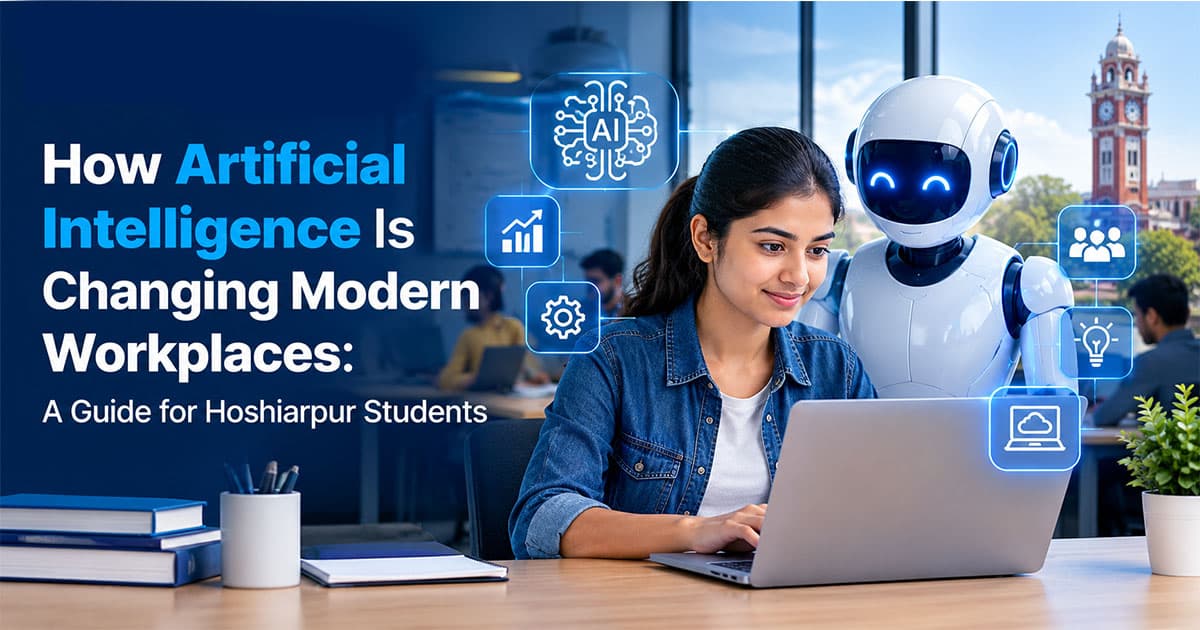
How Artificial Intelligence Is Changing Modern Workplaces
Picture a normal Monday morning at a small marketing office. One person asks an AI tool to draft three versions of an ad caption. Another uploads a spreadsheet and asks for a quick summary of last month's sales. Someone else is using a tool that turns a long meeting recording into a neat list of tasks.
None of this needed a big technology team. It happened in a few minutes, with tools that anyone can open in a browser.
If you're a student in Hoshiarpur, you might be wondering what all this means for you. Will these tools take away the jobs you're studying for? Or can they open new doors? Let's talk about it honestly, without hype and without fear.
First, what do we actually mean by AI?
Artificial intelligence, or AI, is software that can do tasks which normally need human thinking. Writing a summary, recognising a face in a photo, suggesting a reply to an email, predicting which customers might leave a service. These are all examples.
Most AI tools work by learning from huge amounts of data. They notice patterns and then use those patterns to produce an answer. That's why they can write text, create images or answer questions in a way that feels almost human.
But here's the important part: AI doesn't "understand" the way you do. It doesn't know your customer, your city or your boss's mood. It predicts what is likely to be a good answer. Sometimes it's brilliant. Sometimes it's confidently wrong. Remember this, because it affects how workplaces use it.
Where AI is already showing up at work
You don't need to look at big tech companies to see this. AI is quietly entering ordinary workplaces, including the kinds of businesses you find in and around Hoshiarpur.
In offices and administration. Drafting emails, summarising long documents, organising data and preparing first versions of reports. Tasks that once took an hour can sometimes be done in minutes.
In marketing and content. Writing caption ideas, planning content calendars, creating rough designs, analysing which ads perform better and studying what customers search for.
In customer service. Chatbots now answer common questions on websites and WhatsApp at any time of day, and pass complicated cases to a human.
In design and creative work. Tools help with image editing, background removal, video captions and quick layout ideas. A designer can test five ideas in the time it once took to make one.
In accounting and finance. Software can read invoices, flag unusual entries and prepare quick summaries of expenses.
In software and IT. Programmers use AI assistants to suggest code, spot bugs and write first drafts of simple functions.
In education and training. Teachers and trainers use AI to prepare practice questions, explain concepts in different ways and track student progress.
In manufacturing and design work. Fields like drafting, engineering and quality checks are using software that can scan drawings, spot errors or suggest improvements.
The pattern is clear. AI is rarely taking over a whole job at once. It is taking over parts of jobs, mostly the repetitive, time-consuming parts.
The big shift: from doing everything to guiding the work
Think about how a calculator changed accounting. It didn't remove accountants. It removed the need to add long columns by hand, so accountants could spend more time on analysis and decisions.
AI is doing something similar, but across many more kinds of work.
In many workplaces, the shift looks like this:
Before: A person writes the first draft, checks it and sends it.
Now: A person gives clear instructions, reviews what the tool produced, fixes mistakes and adds their own judgement.
This changes what employers value. Typing speed or the ability to do a repetitive task matters less. Clear thinking, good judgement, creativity and the ability to check and improve work matter more.
In simple terms, the person who can guide the tool well is becoming more valuable than the person who only does what the tool can already do.
"Will AI take my job?"
This is the question many students are quietly worried about, so let's answer it properly.
The honest answer is: some tasks will disappear, some jobs will change and some new roles will appear. It is not a simple yes or no.
Jobs made up mostly of repetitive, rule-based tasks are the most likely to change quickly. Jobs that need human judgement, trust, creativity, communication and handling unusual situations are harder to replace.
But here's what usually gets missed in the headlines. In most workplaces, the real competition isn't "AI versus you." It's "a person who knows how to use AI well versus a person who doesn't." Someone who can finish work faster and with better quality using these tools has an advantage, in the same way that someone who knew computers had an advantage over someone who didn't, a few decades ago.
That's actually a hopeful message. You can't control how technology develops, but you can control whether you learn to work with it.
What AI is not good at (yet)
It helps to know where the limits are, because that's where human skills still matter.
Understanding context. An AI tool doesn't know that a particular client prefers a calm tone or that a shop in Hoshiarpur is busiest before a festival. People do.
Checking facts. AI tools can produce wrong information that sounds very convincing. Someone has to verify what goes out to customers.
Building trust. Clients and customers still want to speak to a real person, especially for important decisions.
Creative direction. A tool can produce many ideas, but deciding which idea fits a brand's personality is a human call.
Handling unusual problems. Tools work best on common patterns. When something unexpected happens, people have to step in.
Ethics and responsibility. If a mistake happens, a person is accountable, not the software.
Notice that many of these are skills you can build: communication, judgement, creativity and responsibility. They don't need an expensive degree. They need practice.
What's coming next
So far, we've covered what AI really is, where it already appears in workplaces, how work is shifting from doing to guiding, and why the "will it take my job" question deserves a calm, honest answer.
In the next part, we'll get more practical. We'll look at which jobs are changing the most, which new roles are appearing, what skills employers are starting to expect, and how you can start building them while you're still a student.
Jobs, Skills and What Employers Are Starting to Expect
In Part 1, we looked at what AI is, where it's showing up at work and why the real shift is from doing everything yourself to guiding the work. Now let's get specific. Which jobs are changing, what new roles are appearing and what should you actually learn?
Jobs that are changing the most
No job is completely untouched, but some are changing faster than others. Here's a realistic look.
Data entry and basic office work. Tasks like typing records, sorting files and preparing routine reports are the easiest to automate. People in these roles are increasingly expected to check, correct and manage the output instead of typing everything themselves.
Content writing and basic copywriting. AI can produce a rough draft in seconds. But rough drafts still sound generic. Writers who add real experience, local knowledge and a clear voice remain valuable. Writers who only produce average, copy-paste style content will find it harder.
Graphic design and video editing. Routine tasks, like resizing designs, removing backgrounds and adding captions, are getting faster. Designers who understand branding, layout and what makes people stop scrolling are in a stronger position than those who only operate software.
Customer support. Simple, repeated questions are handled by chatbots. Human agents spend more time on complicated or sensitive cases, so communication and patience matter even more.
Accounting and bookkeeping. Software reads invoices and prepares summaries. Accountants who can interpret the numbers, advise a business and spot problems stay in demand.
Programming and IT. AI assistants write drafts of code, but someone still has to understand the problem, design the system, test it and fix what breaks. Beginners who only memorise syntax may struggle. Those who understand logic and can solve problems will do well.
Drafting and technical work. Design software increasingly suggests layouts and flags errors. People who understand why a drawing works, not just how to draw it, remain essential.
You'll notice a pattern. The more routine a task is, the faster it changes. The more judgement, creativity or human connection a task needs, the safer it is.
New kinds of work are appearing
Every big technology shift creates roles that didn't exist before. Some of these are already visible.
AI-assisted marketer: someone who uses AI tools for research, ideas and reporting, while still making the strategic decisions.
Prompt and workflow designer: a person who figures out how to give tools clear instructions and connect them into a smooth process.
Automation specialist: someone who sets up tools to handle repetitive business tasks, like sending reminders or sorting leads.
Data analyst: more businesses collect data than ever, and they need people who can make sense of it.
AI trainer or reviewer: someone who checks and improves AI output, especially in language and content work.
Digital content creator with AI support: someone who produces more and better content by using tools smartly.
Cybersecurity and privacy roles: as more information moves online, protecting it becomes more important.
You don't need to chase these exact titles. The point is that people who combine a core skill with the ability to use modern tools are creating new opportunities for themselves.
Skills employers are starting to expect
Let's separate this into two groups. Technical skills and human skills. You need both.
Technical and digital skills:
Basic comfort with AI tools. Knowing how to ask clear questions, check answers and use tools for research, drafts and planning. This is quickly becoming a normal expectation, like knowing how to use email.
Data literacy. Reading charts, understanding simple numbers and using spreadsheets properly. Even a basic grasp puts you ahead.
A core skill in your field. Marketing, design, coding, drafting, accounting, writing. AI helps people who already know something. It doesn't replace the need to know your subject.
Digital tools and platforms. Things like Canva, Google Workspace, analytics tools and website platforms still matter, and AI tools are often built into them.
Basic awareness of privacy and security. Knowing what information should never be pasted into an online tool is a skill in itself.
Human skills:
Critical thinking. Asking "Is this correct?" instead of accepting the first answer.
Communication. Explaining ideas clearly, writing professionally and speaking confidently.
Creativity. Coming up with ideas that feel fresh and fit a specific audience.
Adaptability. Being willing to learn a new tool every few months without panic.
Ethics and responsibility. Being honest about how you use tools and taking ownership of your work.
Collaboration. Working well with others, because most real projects involve teams.
If you only build technical skills, you risk becoming replaceable. If you only build human skills without any technical base, you may struggle to start. The combination is where the strength is.
"I'm not from a technical background. Am I too late?"
Not at all. This worry comes up often, especially among commerce, arts and science students.
Using AI tools doesn't require advanced coding. If you can type a clear instruction and read an answer critically, you can begin. A commerce student can use AI to analyse business data. An arts student can use it for research and writing support. A civil student can use design software that has AI features built in.
What matters most is that you start using these tools with purpose, not that you come from a particular stream. And remember, many working professionals are learning these tools right now alongside you. Nobody has a ten-year head start.
How to start building these skills as a student
Here's a simple way to begin, without needing extra money or a lot of free time.
1. Start using AI tools for small, real tasks.
Use them to summarise a chapter, plan a study schedule, explain a difficult idea in simple words or generate practice questions. Then check the answers against your textbook. This builds both skill and judgement.
2. Always verify.
Make it a rule: never submit or share anything produced by a tool without checking it yourself. This single habit sets you apart from people who copy blindly.
3. Learn a core skill properly.
Choose one area, such as digital marketing, design, programming, drafting or data, and go deeper. Tools make your work faster, but depth is what makes your work good.
4. Build small projects.
Create something real: a social media plan for a local shop, a simple website, a floor plan, a small data report. Use AI tools to help, and write down what you did yourself and what the tool did.
5. Improve communication.
Practise explaining your work in simple words. Write short posts about what you're learning. Speak in class or in groups whenever you can.
6. Stay curious, not anxious.
You don't need to follow every new tool. Pick a few useful ones, learn them well and review your skills every few months.
7. Learn the limits.
Understand that tools can be wrong, biased or out of date. Knowing when not to trust them is as important as knowing how to use them.
What's coming in the final part
So far, we've covered which jobs are changing the most, which new roles are appearing, what skills employers expect and how you can start building them as a student.
In the final part, we'll look at responsible use of AI, how to avoid common mistakes, how this affects Hoshiarpur's local businesses and freelancers, common student questions and a simple plan you can follow.
Using AI Wisely and Planning Your Next Steps
You now know what AI is, how workplaces are changing and which skills matter. The last part is about using these tools responsibly, what this means for local businesses around you and a plan you can start this month.
Using AI responsibly at work and in college
Powerful tools come with responsibilities. Employers notice how you use them, not only whether you use them.
Don't share private information. Customer details, passwords, company documents and personal data should never be pasted into an online tool without permission. One careless copy-paste can cause serious trouble.
Check facts every time. AI tools sometimes invent names, numbers and sources that look completely real. Verify anything important before it reaches a client, a teacher or the public.
Be honest about your use. Many colleges and companies now have rules about AI. If you're unsure, ask. Using a tool to understand a topic or improve your draft is very different from submitting its answer as your own work.
Add your own thinking. Copied AI text often sounds generic. Your experience, your examples and your local knowledge are what make work worth reading.
Respect copyright and originality. Don't present someone else's work, or a tool's imitation of it, as your own creation.
Think of AI as a very fast assistant who is sometimes wrong. You remain the person responsible.
What this means for Hoshiarpur's local businesses
You might think AI is only for big cities and large companies. But small businesses are often the ones that benefit most, because they have small teams and limited time.
A clinic can use tools to draft appointment reminders and answer common questions on WhatsApp. A coaching centre can create practice material and social media posts faster. A garment shop can plan offers, write product descriptions and study which posts bring customers. A small manufacturer can organise orders and track expenses more easily.
Most of these owners don't have the time or knowledge to set things up themselves. That's a real opportunity for students. If you can help a local business use simple tools well, such as setting up a Google Business Profile, creating a content plan, building a basic website or automating a few repetitive tasks, you're offering something valuable. You don't have to move to a big city to find clients. Local and remote work are both realistic from Hoshiarpur.
Mistakes people commonly make with AI
Trusting the first answer. The most common mistake. Always question and verify.
Using vague instructions. "Write something about marketing" gives a weak result. "Write a three-line Instagram caption for a coaching centre in Hoshiarpur, friendly tone" gives a far better one. Clear instructions improve output.
Skipping the basics. If you rely on tools before understanding your subject, you won't be able to tell whether the result is good. Learn the fundamentals first.
Copying without editing. Generic output makes you look generic. Edit, personalise and improve.
Ignoring privacy. Sharing sensitive details carelessly can harm you or someone else.
Being afraid to try. Some students avoid these tools out of worry or guilt. Start with small, safe tasks and learn gradually.
Learning every new tool. New tools appear every week. Pick a few that suit your field and go deep instead of chasing everything.
Common questions students ask
Will AI replace most jobs?
Some tasks and roles will change a lot, but many jobs will adapt rather than vanish. People who learn to work alongside the tools usually stay in a stronger position.
Do I need to learn coding to work with AI?
Not necessarily. Many tools need no coding. Coding helps if you want to build or automate things, but it isn't mandatory to begin.
Which field is safest?
No field is completely safe, and no field is hopeless. Jobs that combine skill, judgement, creativity and communication tend to stay strong.
Is it okay to use AI for assignments?
It depends on your college's rules. Using it to understand ideas, check grammar or get feedback is usually different from submitting its output as your own. When in doubt, ask your teacher.
Can I start now if I'm not good at technology?
Yes. If you can type a question and read the answer carefully, you can begin. Skill builds with practice.
Will employers prefer people who use AI?
Increasingly, employers like people who work efficiently with modern tools, as long as they also show judgement and a solid core skill.
A simple 60-day plan
If you'd like a clear starting point, try this.
Days 1 to 15: Get comfortable.
Pick one or two AI tools. Use them daily for small tasks like summarising notes, planning your week and explaining difficult topics. Always verify the answers.
Days 16 to 30: Choose a core skill.
Decide on one area, such as digital marketing, design, programming, drafting or data. Begin learning it properly, and use AI as a helper, not a substitute.
Days 31 to 45: Build something real.
Create a small project: a content plan for a local shop, a basic website, a sample report or a drawing. Note which parts you did yourself and where the tool helped.
Days 46 to 60: Show it.
Put your work in a simple portfolio. Share it on LinkedIn, write a short post about what you learned and approach one local business or internship with your work.
After 60 days, you won't be an expert, but you'll have real proof of progress and a much clearer sense of direction.
Final thoughts
AI is changing workplaces, but it isn't a story where people simply lose. It's a story where the way we work changes, and those who learn, adapt and stay curious find new opportunities. The tools are available to everyone, including students in Hoshiarpur. What makes the difference is your skill, your judgement and your willingness to keep learning.
You don't need to master everything or predict the future. Build a solid core skill, learn to use modern tools carefully, communicate clearly and keep creating real work. That combination will help you in any workplace.
If you'd like guided, hands-on learning to build practical, job-ready skills, techcadd in Hoshiarpur can help you step by step with real projects and regular feedback. Start with one small step today: try a tool on a real task, check the result and learn from it. That's how every strong career in the AI era begins.
Comments
Nothing here yet. Be the first to say something.