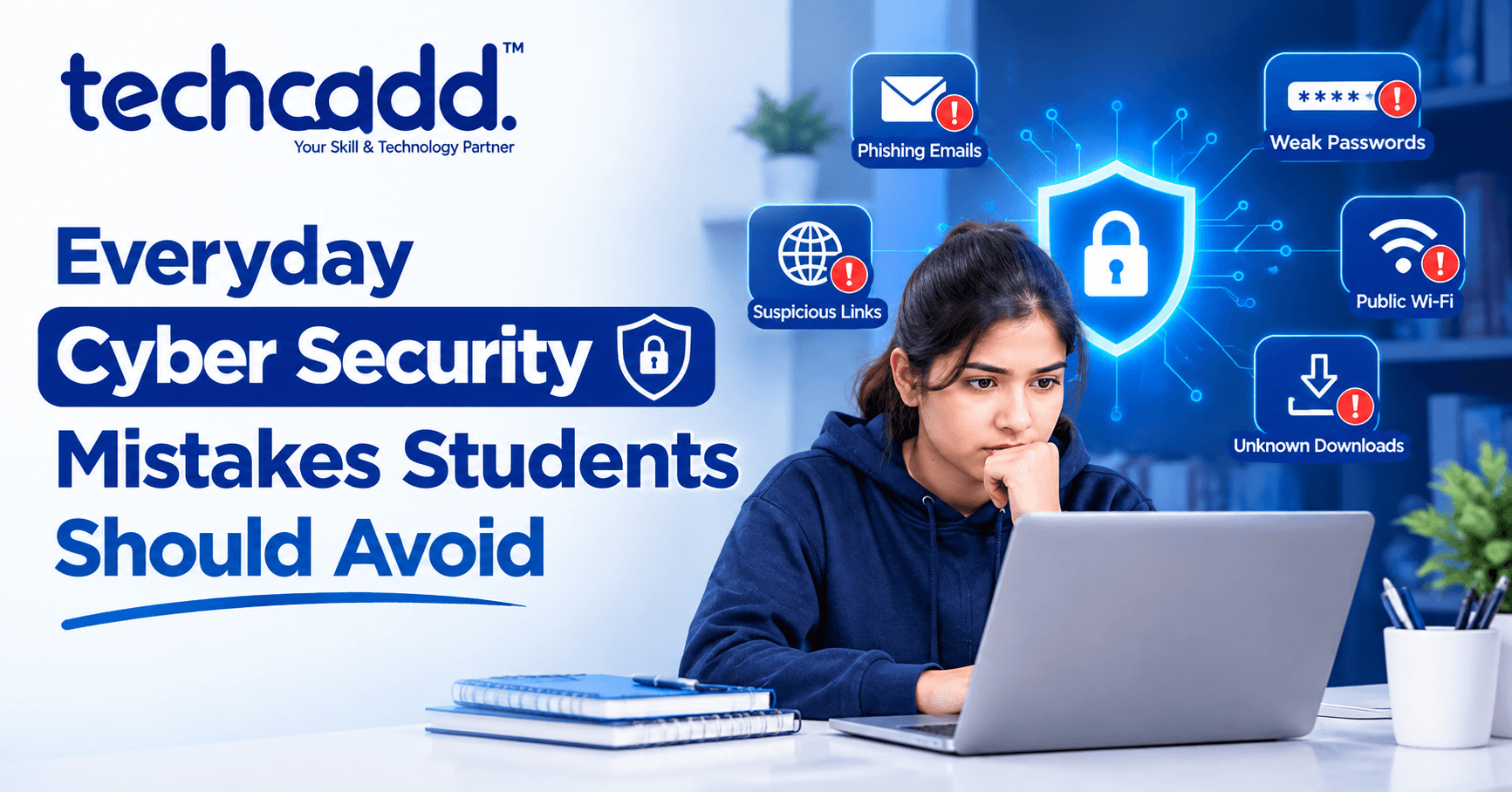
Everyday Cyber Security Mistakes Students Should Avoid
Think about how many apps and websites you've logged into this week alone — college portals, social media, online banking, food delivery apps, streaming services, WhatsApp, email. Now think about how many of those accounts use the same password, or a password you set years ago and never bothered changing.
If that sounds familiar, you're not alone. Most students don't think about cyber security until something actually goes wrong — a hacked Instagram account, a suspicious bank transaction, or a friend's account suddenly sending weird messages to everyone in their contact list. By then, the damage is often already done.
The truth is, most cyber security problems students face aren't caused by sophisticated hacking techniques. They're caused by small, everyday mistakes that seem harmless in the moment but create serious vulnerabilities over time. The good news? Most of these mistakes are completely avoidable once you know what to look out for.
Why Students Are Often Easy Targets
It's worth understanding why students specifically tend to be more vulnerable to cyber security issues, even though many grew up using technology daily.
Being comfortable with technology isn't the same as being cyber-security aware. Students often use multiple devices, connect to public Wi-Fi frequently, download apps without much scrutiny, and maintain a large digital footprint across social media, all of which increase exposure to potential risks. Add to this the fact that many students are managing their own accounts — banking, email, academic portals — independently for the first time, often without anyone specifically teaching them safe digital habits.
This combination makes students a genuinely attractive target for cybercriminals, not because they're careless people, but because common digital habits create predictable vulnerabilities.
Mistake #1: Using Weak or Repeated Passwords
This is, without question, the most common and most dangerous mistake students make. Using simple passwords like "123456," a birthdate, or a pet's name might be easy to remember, but they're also incredibly easy to guess or crack.
Even more risky is using the same password across multiple accounts. If one platform experiences a data breach — which happens more often than most people realize — and your password gets exposed, hackers will often try that same password on other popular platforms, including your email and banking apps.
A stronger approach includes:
Using long, unique passwords for each important account, ideally combining letters, numbers, and symbols
Avoiding obvious personal information like birthdays, names, or phone numbers in passwords
Using a password manager to generate and store complex passwords without needing to memorize each one
Changing passwords immediately if you hear about a data breach on any platform you use
A common student excuse is, "I'll never remember that many different passwords." This is exactly why password managers exist — they remove the memorization burden while keeping every account secure with a unique, strong password.
Mistake #2: Ignoring Two-Factor Authentication (2FA)
Many students skip enabling two-factor authentication because it feels like an unnecessary extra step. In reality, this single habit is one of the most effective ways to protect your accounts, even if your password gets compromised.
Two-factor authentication means that even if someone gets your password, they still need a second verification step — usually a code sent to your phone — to actually access your account. This extra layer makes unauthorized access significantly harder.
Students should enable 2FA especially on:
Email accounts, since email is often the recovery method for other accounts
Banking and payment apps
Social media accounts, particularly ones with large followings or sensitive personal information
Academic portals containing personal and financial information
The few extra seconds it takes to enter a verification code is a small price for significantly stronger account security.
Mistake #3: Connecting to Unsecured Public Wi-Fi Without Caution
Free Wi-Fi at cafes, college campuses, or public spaces feels convenient, but connecting without caution can expose your data to serious risks. Public Wi-Fi networks are often unsecured, meaning data transmitted over them can potentially be intercepted by someone else on the same network.
This becomes particularly risky when students log into sensitive accounts — banking apps, email, or academic portals — while connected to public Wi-Fi without any additional protection.
Safer practices include:
Avoiding banking transactions or entering sensitive information while on public Wi-Fi
Using a VPN (Virtual Private Network) when you need to access sensitive accounts on public networks
Turning off automatic Wi-Fi connection settings that connect to any available network without your knowledge
Using mobile data instead of public Wi-Fi for sensitive tasks whenever possible
Mistake #4: Clicking on Suspicious Links Without CheckingPhishing remains one of the most common ways students end up compromised, and it's become increasingly sophisticated. A message claiming to be from your bank, a "you've won a prize" link, or an urgent email pretending to be from your college administration can look surprisingly convincing at first glance.
The core mistake here is clicking without pausing to verify. A moment of curiosity or urgency — "my account will be suspended," "claim your reward now" — often overrides caution, leading students to click links that install malware or lead to fake login pages designed to steal credentials.
Safer habits include:
Checking the sender's actual email address, not just the display name, which can be easily faked
Hovering over links (without clicking) to see the actual URL before visiting
Being suspicious of urgent language designed to create panic or pressure quick action
Directly visiting official websites by typing the URL yourself, rather than clicking links in emails or messages, especially for banking or academic portals
Verifying unusual requests through a separate channel — calling the institution directly if an email seems suspicious
A useful habit to build: if something feels urgent or too good to be true, that's usually a signal to slow down and verify, not to act quickly.
Mistake #5: Oversharing Personal Information on Social Media
Many students don't realize how much personal information they're unintentionally exposing through social media posts, tags, and profile details. Details like your daily class schedule, home address, phone number, or even patterns in your daily routine can all be pieced together by someone with bad intentions.
This isn't about becoming overly paranoid or avoiding social media entirely — it's about being intentional with what gets shared publicly versus what stays private.
Practical steps include:
Reviewing privacy settings regularly on all social media platforms, since default settings often share more than necessary
Avoiding posting real-time location information, like checking in at a location while you're still there
Being cautious about sharing personal details in public profiles, like your phone number or home address
Thinking twice before sharing information about routines, travel plans, or being away from home for extended periods
Mistake #6: Downloading Apps and Files Without Verification
Downloading apps from unofficial sources, or files from unfamiliar websites, is a common way malware ends up on student devices. The appeal of a "free" version of a paid app or a shortcut to download something without going through proper channels often comes with hidden risks.
Safer practices include:
Downloading apps only from official app stores (Google Play Store, Apple App Store) rather than third-party websites
Checking app permissions before installing — a simple flashlight app asking for access to your contacts and messages should raise questions
Being cautious with email attachments from unknown senders, even if they appear to be documents or images
Keeping devices updated, since software updates often include important security patches
Mistake #7: Not Backing Up Important Data
This mistake isn't about active security threats, but it becomes a serious problem when something does go wrong — a device gets stolen, a ransomware attack locks your files, or a hard drive fails unexpectedly.
Many students keep years of academic work, projects, and personal files stored only on one device, with no backup. If that device is lost, stolen, or compromised, all of that work can disappear instantly.
Simple backup habits include:
Regularly backing up important files to cloud storage (Google Drive, OneDrive) or an external drive
Setting up automatic backup where possible, so it happens without needing to remember manually
Keeping multiple copies of critical academic work, especially during exam or project submission periods
Mistake #8: Ignoring Software and App Updates
That notification asking you to update an app or your device's operating system often gets dismissed as annoying or unnecessary, especially when it interrupts what you're doing. However, many updates specifically patch security vulnerabilities that hackers actively exploit.
Delaying updates, particularly for operating systems, browsers, and banking apps, leaves known vulnerabilities open for longer than necessary.
A simple habit that helps significantly: enabling automatic updates wherever possible, so critical security patches install without requiring you to remember or actively decide each time.
Common Doubts Students Have About Cyber Security
"I'm just a student, why would anyone target me specifically?"
Cybercriminals often aren't targeting you personally — they're running broad attacks hoping to catch anyone with weak security habits. Students, with their combination of digital activity and often lighter security awareness, become easy, high-volume targets rather than specifically chosen victims.
"Isn't all this extra security stuff too complicated to actually maintain?"
Most of these habits, once set up, require very little ongoing effort. Enabling 2FA, using a password manager, and turning on automatic updates are largely one-time setups that continue protecting you without constant active effort afterward.
"What should I do if I think my account has already been compromised?"
Change your password immediately, enable two-factor authentication if you haven't already, check for any unfamiliar activity or connected devices in your account settings, and inform relevant platforms or your bank if financial information might be involved.
Building a Simple Cyber Security RoutineGood cyber security doesn't require becoming a technical expert. It requires building a few consistent habits that become second nature over time. Here's a practical way to approach it:
One-Time Setup (Do This Once, Benefit Continuously):
Set up a password manager and generate unique passwords for all important accounts
Enable two-factor authentication on email, banking, and primary social media accounts
Turn on automatic software and app updates across your devices
Set up automatic cloud backup for important academic files
Ongoing Habits (Build Into Daily Routine):
Pause before clicking links in emails or messages, especially those creating urgency
Avoid entering sensitive information while connected to public Wi-Fi without a VPN
Review app permissions before downloading anything new
Periodically check privacy settings on social media accounts
Occasional Checks (Monthly or When Something Feels Off):
Review connected devices and active sessions on important accounts
Check if any of your accounts have appeared in known data breaches (using tools like Have I Been Pwned)
Update passwords for any accounts where you suspect unusual activity
This kind of routine doesn't require hours of effort. Most of it involves setting things up correctly once, then maintaining simple awareness during daily digital activities.
A Realistic Example: How Small Mistakes Add Up
Consider a common scenario: a student uses the same password for their college portal, email, and Instagram account. They connect to campus Wi-Fi without much thought, and one day, they receive an email claiming their college portal password needs immediate verification due to "suspicious activity." Without checking the sender's actual email address carefully, they click the link and enter their credentials on what turns out to be a fake page designed to look identical to their college's real login page.
Because they used the same password everywhere, the attacker now has access not just to their college portal, but potentially their email and Instagram account too, since email is often used for account recovery. What started as one moment of not verifying a suspicious link has now compromised multiple accounts.
This scenario, while hypothetical, reflects exactly how real cyber security incidents unfold — not through some complex hacking, but through a chain of small, everyday habits that create vulnerability when they intersect.
Why This Awareness Matters Beyond Just Personal Safety
Understanding basic cyber security isn't just about protecting your own accounts and information — it's increasingly becoming a relevant skill across various career paths, even outside purely technical fields.
Many workplaces today expect employees to follow basic security protocols, understand phishing risks, and handle sensitive data responsibly. Students who build strong cyber security habits during their academic years enter professional environments already understanding these expectations, rather than learning them the hard way after a workplace security incident.
Additionally, as more of daily life — banking, shopping, education, socializing — moves online, personal cyber security awareness has become as fundamentally important as understanding basic financial literacy or health safety practices.
Where Students in Hoshiarpur Can Start
You don't need to implement every single recommendation in this blog immediately. Start with the highest-impact changes first:
Set up a password manager and stop reusing passwords across accounts
Enable two-factor authentication on your email and banking apps today
Get into the habit of pausing before clicking any link that creates urgency or panic
Turn on automatic updates for your devices and apps
These four changes alone address the majority of common vulnerabilities that lead to student cyber security incidents, and none of them require significant technical knowledge or ongoing effort once set up.
Final Thought
Cyber security isn't about becoming paranoid or avoiding technology — it's about building a few simple, consistent habits that significantly reduce your risk of becoming an easy target. Most successful cyberattacks don't rely on sophisticated techniques; they rely on common, everyday mistakes that most people don't think twice about.
For students in Hoshiarpur navigating an increasingly digital academic and social life, understanding these mistakes — and more importantly, actively avoiding them — provides genuine, practical protection without requiring technical expertise or constant vigilance.
The goal isn't perfection. It's building enough awareness that the small, everyday decisions you make online consistently work in your favor, rather than accidentally creating vulnerabilities you didn't even realize existed.


Comments
Nothing here yet. Be the first to say something.