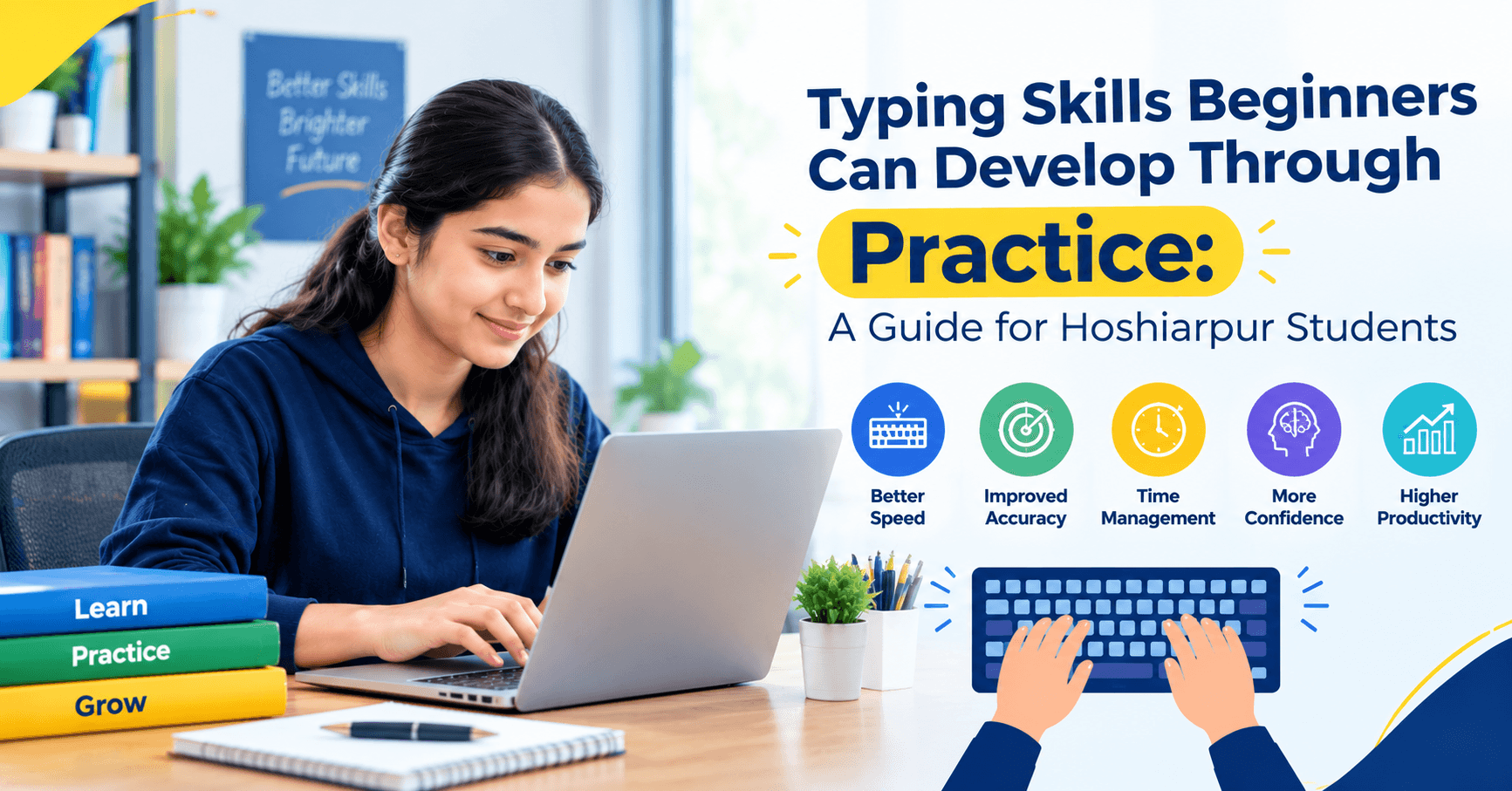
Typing Skills Beginners Can Develop Through Practice: A Guide for Hoshiarpur Students
Part 1
Nobody is born knowing where the letter “G” sits on a keyboard. Every fast typist you’ve ever watched, the office assistant who barely looks down, the friend who finishes assignments before you’ve opened your document, started with two slow, confused hands and a lot of backspace.
That’s the good news about typing. It isn’t a talent. It’s a skill built through practice, and almost anyone can build it, whatever their age, stream or background.
But “just practice” is vague advice, and it’s why many beginners practice for a week, feel no improvement and quit. This guide breaks typing into smaller skills you can actually develop, so you know what you’re practicing and why.
Why Typing Is a Practice Skill, Not a Knowledge Skill
Most things we study at school are about understanding. You read, you learn, you remember. Typing works differently. Knowing that “F” is under your left index finger doesn’t make you fast. Your fingers have to learn it, through repetition, until you stop thinking about it.
It’s closer to riding a bicycle than to memorizing a chapter. You can read about balance all day, but you only learn it by wobbling a few times. Typing is the same. The wobbly stage is a normal part of the process, not a sign you’re doing it wrong.
Skill 1: Sitting and Positioning Yourself Properly
This sounds boring, but it’s where good typing starts. A poor setup makes you tired, slows you down and can leave your wrists and shoulders aching.
A few simple things help. Sit with your back supported and your feet flat on the floor. Keep your screen roughly at eye level so you’re not craning your neck. Let your forearms stay roughly level with the keyboard, with your wrists relaxed instead of bent sharply or pressed hard against the desk.
You don’t need special furniture. A small adjustment, like raising your laptop on a few books and using a separate keyboard, can make a real difference during longer sessions. If anything hurts while you type, stop and adjust instead of pushing through.
Skill 2: Learning the Home Row
The home row is the middle row of letters, and it’s the base position for your fingers. On a standard keyboard, your left fingers rest on A, S, D and F, and your right fingers rest on J, K, L and the semicolon key. Your thumbs rest on the space bar.
Many keyboards have a small raised bump on the F and J keys. That’s there so your fingers can find home without looking. Feel for those bumps, because they’re your anchor.
Every other key is reached by moving a finger away from home and returning. Once the home row feels natural, the rest of the keyboard is simply an extension of it. Spend your first few practice sessions here, typing simple combinations until your fingers settle without effort.
Skill 3: Using the Right Finger for the Right Key
This is the heart of touch typing. Each finger is responsible for specific keys. Your left index finger handles F, R, T, G, V and B, while your right index finger handles J, U, Y, H, N and M. Your middle, ring and little fingers cover the columns next to them, and your thumbs take the space bar.
At first, this feels slow and unnatural, especially if you’ve typed with two fingers for years. Your brain wants to use the finger that’s nearest, not the finger that’s “assigned.” Stick with the proper fingers anyway. The slow stage is short, and the payoff is a speed ceiling much higher than two-finger typing can ever reach.
A helpful trick is to practice by finger groups. Spend a session on just the left-hand keys, then just the right-hand keys, then mix them together.
Skill 4: Keeping Your Eyes on the Screen
This is the hardest habit to build, and it’s the one that matters most. Looking at the keyboard keeps you dependent on your eyes. Looking at the screen forces your fingers to learn the layout by feel.
Most beginners peek constantly, especially when they’re unsure of a key. If that’s you, try a simple trick: cover your hands with a light cloth or a sheet of paper while you practice. It feels strange, but it forces your fingers to find their way, and mistakes quickly teach you where each key actually is.
Looking at the screen also helps you catch errors as they happen. You see the wrong letter appear right away instead of finding it three sentences later.
Skill 5: Building Accuracy Before Speed
It’s tempting to race. Typing tests show a speed number prominently, and watching it climb feels good. But rushing early on locks in sloppy habits, and then you spend months fixing them.
A better approach is to type slowly enough that you make very few mistakes, even if that feels almost too slow. Your fingers learn the correct movement each time, and that repetition is what builds muscle memory. Speed then rises naturally as the movements become automatic.
A useful rule of thumb: if you’re making a mistake every few words, slow down. When your accuracy feels consistently high, nudge your speed up a little and see if you can hold the accuracy.
A Common Doubt: “Is It Too Late for Me to Learn Properly?”
This worry comes up a lot, especially from students and adults who’ve typed with a couple of fingers for years. Here’s the honest answer: no, it isn’t too late. Your fingers can learn a new pattern at any age. What changes is how much patience you need during the first stretch, because you’re replacing a well-worn habit.
Think of changing your handwriting grip. It feels awkward for a while, then it becomes natural. The same thing happens with typing, as long as you stay consistent for a few weeks.
Why This Matters for Students in Hoshiarpur
Whether you’re preparing assignments, filling admission and exam forms, applying for internships or working toward an office job, typing will be part of your daily routine. Building it as a proper skill, rather than leaving it to chance, saves you time and frustration in all of those situations.
And because it’s a practice skill, you don’t need any special background or expensive tools. A keyboard, a bit of regular time and a clear plan are enough to get started.
Skill 6: Learning the Top and Bottom Rows
Once the home row feels comfortable, you extend outward. The top row (Q, W, E, R, T, Y and so on) is reached by stretching a finger upward from home. The bottom row (Z, X, C, V, B, N, M) is reached by curling a finger slightly downward.
The key idea is to return to the home row after each reach. Your finger goes out, presses the key, and comes straight back. It feels like extra work at first, but this return habit is what keeps your hand position stable and your accuracy high.
A good way to practice is to add one new row at a time. Spend a few sessions on the top row with simple words like “water,” “tower” and “quite,” then move to the bottom row. Don’t rush to cover the whole keyboard in a single day.
Skill 7: Typing Numbers and Symbols
Many beginners practice letters for weeks and then freeze when a form asks for a phone number or an email address. Numbers and symbols deserve their own practice, because they show up constantly in real work.
Start with the number row along the top of the keyboard, reaching with the correct fingers instead of hunting with one. Then practice common symbols such as the @ sign, full stop, comma, hyphen, brackets and the rupee-related characters you may need in accounts or billing work.
If you plan to learn data entry, Excel or Tally later, this skill matters even more. Accurate number typing is the difference between a clean sheet and one full of silent errors.
Skill 8: Using Shift, Capitals and Punctuation Properly
Beginners often type a whole paragraph in lowercase, then fix everything afterwards. That wastes time and builds a bad habit.
Use the Shift key with the opposite hand to the letter you’re capitalizing. For example, press the right Shift for a letter typed with the left hand. This keeps your fingers moving smoothly instead of twisting awkwardly. Practice sentences that include capital letters, commas, full stops and question marks, so punctuation becomes part of your normal flow.
Clean punctuation matters more than it seems. An email or application with correct capitals and punctuation looks professional, while one without them looks careless, even when the content is good.
Skill 9: Developing a Steady Rhythm
Fast typists don’t type in bursts. They type with an even rhythm, each keystroke landing at roughly equal intervals, like a steady drumbeat. Beginners usually type in uneven bursts: fast on easy words, then a long pause on a difficult one.
Rhythm training helps with this. Choose a comfortable pace and try to keep the same beat across easy and tricky words. If a word is hard, don’t stop. Slow the whole rhythm slightly and keep going. Over time, your hard words smooth out and your overall speed rises without extra strain.
You can practice this with simple repeated phrases. Type the same short sentence several times, aiming for an even flow instead of a speed record.
Skill 10: Correcting Mistakes Efficiently
Everyone makes errors. What separates a comfortable typist from a frustrated one is how they handle them.
Learn to use Backspace quickly and calmly, without looking at the keyboard. For mistakes a few words back, learn to move with Ctrl and the arrow keys instead of tapping the left arrow many times. Over time, you’ll also notice the kinds of mistakes you repeat, such as swapping two letters or hitting a neighboring key. Those patterns tell you exactly what to practice.
A helpful habit is to correct errors as soon as you notice them, but not to panic about them. Constantly stopping to agonize over each slip breaks your rhythm and slows progress.
Skill 11: Typing From Text, Not Just From Memory
Real work rarely involves typing from your own head with zero reference. You copy from a handwritten note, an assignment brief, a printed form or a document on another screen. This is called copy typing, and it needs its own practice.
Place the text you’re copying beside your screen, keep your eyes on it and let your fingers work from memory. This feels harder than free typing because your eyes jump between sources, but it’s exactly the skill that data entry, form filling and transcription roles demand.
Try copying a paragraph from a book or a newspaper article. Start slowly, aim for accuracy and gradually increase your pace.
Skill 12: Using Basic Keyboard Shortcuts
Once your typing feels comfortable, shortcuts add another layer of productivity. A few are worth learning early: Ctrl+C to copy, Ctrl+V to paste, Ctrl+X to cut, Ctrl+Z to undo, Ctrl+S to save and Ctrl+A to select everything.
You don’t need to memorize a long list. Pick two or three, use them until they feel automatic, and add a few more later. They save small amounts of time constantly, and those small savings add up over weeks of regular computer work.
How These Skills Build on Each Other
These skills aren’t a random checklist. They stack. Good posture supports comfortable finger movement. The home row gives you a base. Proper finger use and keeping your eyes on the screen build touch typing. Accuracy creates the foundation, rhythm creates consistency, and speed follows as a natural result. Numbers, punctuation, copy typing and shortcuts then make that skill useful in real tasks.
When you hit a plateau, it usually means one of these links is weak. If your speed isn’t improving, check your accuracy. If your accuracy keeps slipping, check your posture and whether you’re peeking at the keys. Thinking in terms of connected skills helps you find the real problem instead of just typing more of the same.
Common Mistakes Beginners Make While Practicing
Mistake 1: Practicing without a plan
Typing random text for twenty minutes feels productive but often reinforces old habits. Decide what you’re working on each session, such as the top row, accuracy or numbers.
Mistake 2: Giving up during the awkward first week
Your speed may drop at the start because you’re replacing an old habit. That dip is temporary. Most people who stay consistent pass their old speed within a few weeks.
Mistake 3: Peeking at the keyboard “just this once”
One peek leads to another, and soon you’re back to old habits. Use a cover or simply commit to keeping your eyes on the screen.
Mistake 4: Practicing too long in one sitting
Marathon sessions tire your hands and lower your accuracy. Short, focused sessions work better than one long one.
Mistake 5: Never measuring progress
Without occasional tests, you can’t see improvement, and motivation fades. Take a short typing test once a week and note your speed and accuracy.
Mistake 6: Ignoring numbers and symbols
Many beginners only practice letters, then struggle with forms and data entry. Add number and symbol practice early.
Is This Suitable for Complete Beginners?
Yes, completely. Typing is one of the most beginner-friendly skills you can pick up. It starts with something small, learning where a few keys are, and grows step by step. You don’t need any technical background, and there’s no minimum age or qualification.
If you’ve never typed before, you can build good habits from day one. If you already type with two fingers, you can still switch. It simply takes patience for the first couple of weeks.
Do You Need Previous Experience?
No. Start exactly where you are. A calm, steady approach matters more than any prior experience. Compare your results with your own earlier tests, not with someone who has been typing for years.
What Should You Practice First?
If you’re building these skills from scratch, here’s a sensible order:
Posture and positioning, so your setup supports you
The home row, as your base position
Correct finger use, with each finger handling its own keys
Eyes on the screen, so your fingers learn the layout by feel
Top and bottom rows, added one at a time
Accuracy practice, before pushing speed
Shift, capitals and punctuation, for clean, professional text
Numbers and symbols, for forms, accounts and data entry
Rhythm and speed building, using short daily tests
Copy typing and shortcuts, to prepare for real tasks
This order builds a solid base first, so your speed grows without bad habits sneaking in.
Part 3
How Practice Looks in Real Life Around Hoshiarpur
Let’s make this practical. Think of a college student in Hoshiarpur who wants to improve typing before an internship. She has about twenty minutes free each day, a basic laptop and a lot of assignments. She doesn’t have a coach or fancy software, just a plan.
In the first week, she practices the home row and keeps her eyes on the screen, even though it feels slow. In the second week, she adds the top and bottom rows and focuses on accuracy. By the third week, she’s typing short paragraphs, adding capitals and punctuation, and noticing that her mistakes are fewer. In the fourth week, she starts copy typing from her own notes and takes a weekly speed test.
Nothing in that plan is dramatic. There’s no secret trick. It’s just regular practice with a clear focus each week, which is exactly what builds the skill.
A Simple Weekly Practice Plan
If you’re not sure how to structure your practice, here’s a plan you can adapt. It assumes about fifteen to twenty minutes a day.
Week 1: Foundation
Focus on posture, the home row and correct finger use. Keep your eyes on the screen. Don’t worry about speed at all.
Week 2: Expanding the keyboard
Add the top and bottom rows one at a time. Keep returning to the home row after each reach. Prioritize accuracy.
Week 3: Real words and sentences
Move from drills to full sentences. Add capitals, commas and full stops. Start paying attention to rhythm.
Week 4: Numbers, symbols and copy typing
Practice the number row and common symbols. Copy a printed paragraph or a handwritten note. Take your first proper typing test and note your results.
Week 5 onwards: Speed and consistency
Keep your accuracy high and let speed grow gradually. Take one test a week, track your numbers and revise whichever skill feels weakest.
Treat this as a guide, not a rule. If you need two weeks on the home row, take two weeks. Your fingers set the pace.
How Difficult Is It, Really?
Let’s be honest instead of overly encouraging. Typing isn’t intellectually hard, but it does test your patience. The first stretch can feel slower than what you’re used to, and progress doesn’t always feel steady. Some days you’ll feel faster. Other days you’ll feel like you’ve gone backwards.
That’s normal. Muscle memory builds in uneven steps, with plateaus in between. A plateau doesn’t mean you’ve stopped improving. It usually means your fingers are consolidating what they’ve learned before the next jump.
The people who succeed aren’t the ones with the most talent. They’re the ones who keep practicing through the dull middle stretch. If you can show up regularly for a few weeks, you’re already ahead of most beginners.
Staying Motivated When Progress Feels Slow
Motivation is usually the biggest challenge, so a few practical habits help.
Track your numbers. A simple note with your date, speed and accuracy gives you proof of progress on days when it doesn’t feel like it.
Set small goals. Instead of “type fast,” aim for something like “finish a paragraph without looking down” or “hit 95% accuracy this week.”
Practice at a fixed time. Attaching practice to a regular moment, like right after dinner or before you start your assignments, makes it easier to stick with.
Use content you enjoy. Typing a passage from a book, an article or song-free text you actually find interesting keeps practice from feeling like a chore.
Practice with a friend. A little friendly competition, or simply comparing weekly results, can make the process more fun.
Be kind to your hands. Short breaks, light stretches and a comfortable setup keep you practicing consistently instead of burning out.
Do You Need Previous Experience?
No. You can start with zero typing experience, or with years of two-finger habits, and either way you can improve. What matters is regular, focused practice and a willingness to go slowly at the start.
If you’ve been typing for a long time and feel stuck at a certain speed, a bit of deliberate practice on accuracy and finger use often breaks the plateau. Sometimes the fastest way forward is to slow down for a few weeks.
What Can You Do With These Skills?
Once typing becomes comfortable, it supports a number of practical paths:
Faster assignments, notes and reports, giving you more time to study or rest
Data entry and back-office roles, where accurate typing is a core requirement
Office and administrative jobs, where emails, records and documents are part of daily work
Customer support and chat-based roles, where quick, clear replies matter
Content and writing work, including blogs, captions and social media posts
A smoother start in other courses, such as MS Office, Advanced Excel, Tally Prime and digital marketing, since all of them involve a lot of typing
Many employers test typing speed and accuracy for entry-level office roles, and the expected levels differ from one employer to another. Having practiced skills gives you confidence going into those tests.
Will This Skill Actually Help Your Career?
Yes, in a quiet but reliable way. Typing won’t get you hired on its own, but it supports almost everything that will. You finish tasks sooner, make fewer errors and look more capable in your first weeks at an internship or job, which is when impressions form.
It also stays useful. Tools change, software gets updated and new platforms appear, but you’ll keep using a keyboard for a long time. Even when you use AI tools or voice input, you’ll still type prompts, edit results and fix details. A comfortable typist moves through all of that faster and with less strain.
A Few Honest Thoughts Before You Go
If there’s one idea to take from this guide, it’s that typing is a skill you build in small pieces. Posture, home row, finger use, eyes on the screen, accuracy, rhythm, numbers, copy typing and shortcuts each take a little practice, and together they add up to real fluency.
Don’t try to master everything in a week. Pick one focus for each session, keep your practice short and regular, and measure your progress against your own earlier results. When you feel stuck, go back to accuracy. It almost always fixes the problem.
You don’t need special equipment, a big budget or a technical background. You need a keyboard, a small slice of time each day and the patience to get through the awkward early stretch.
For students in Hoshiarpur preparing for college work, competitive exam forms, internships or a first office job, building typing skills through practice is one of the simplest, most reliable investments you can make. Start today with ten minutes on the home row, and let the habit grow from there.


Comments
Nothing here yet. Be the first to say something.