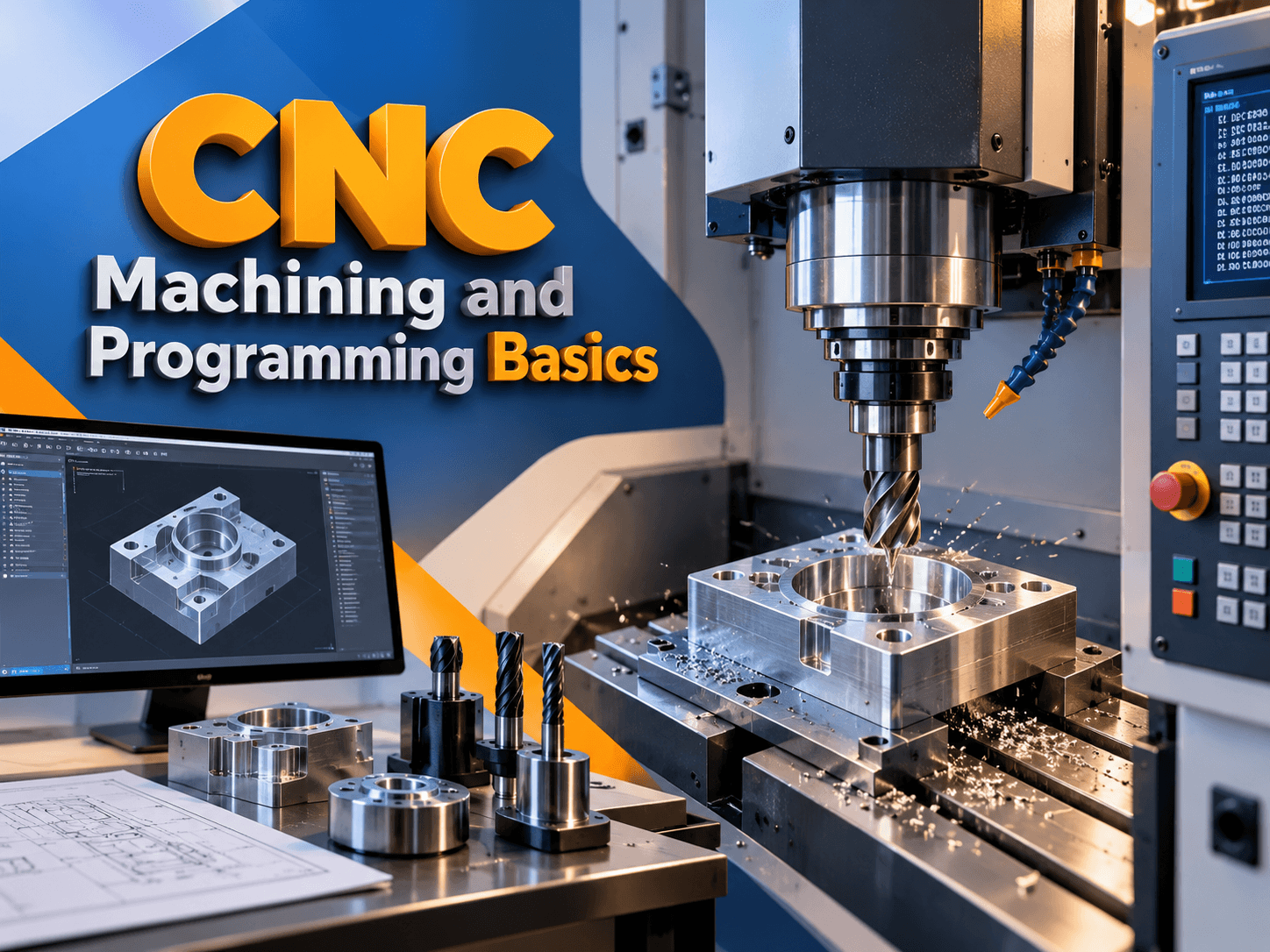
CNC Machining and Programming Basics in Hoshiarpur
Manufacturing a component requires more than creating a design. The dimensions, material, tools, machine setup, and machining sequence all influence the final result. Computer Numerical Control, commonly known as CNC, helps machine tools follow programmed instructions to produce parts according to a planned process.
Learning CNC Machining and Programming Basics in Hoshiarpur gives students an opportunity to understand how engineering drawings connect with machine movements and manufacturing operations. Beginners can explore coordinates, tool paths, programming concepts, inspection, and the importance of checking a setup before machining.
Students interested in the subject can contact Techcadd Hoshiarpur to discuss available training options, prerequisites, practical facilities, and course details. A structured learning approach can help students understand both the technical instructions and the manufacturing process behind them.
What Is CNC Machining?
CNC machining is a manufacturing process in which a computer-controlled machine tool follows programmed instructions to carry out selected operations. Depending on the machine and setup, these operations may include cutting, drilling, turning, milling, or shaping a workpiece.
The program communicates instructions to the machine control. However, the quality of the final component also depends on the material, tooling, workholding, machine condition, and operator’s checks.
A CNC Machining Course in Hoshiarpur can introduce students to the relationship between:
Component drawings and dimensions.
Machine tools and cutting operations.
Tool paths and machine movements.
Workpiece positioning and offsets.
Program verification and inspection.
Safe, supervised machine operation.
What Is CNC Programming?
CNC programming involves preparing the instructions that tell a machine tool how to carry out a planned operation. A program may describe movement, positions, operating modes, and machine functions.
The programmer must understand the intended result before writing or reviewing these instructions. A program that appears correct on screen may still be unsuitable if it does not match the actual machine, tooling, or workpiece setup.
CNC Programming Training in Hoshiarpur can help learners understand how to interpret a drawing, plan an operation sequence, and review instructions for a particular machine control.
The exact programming format depends on the controller and machine configuration. Commands should always be checked against the relevant documentation and training procedures.
Why Learn CNC Machining and Programming?
CNC knowledge helps learners understand how design requirements become manufactured parts. It also connects engineering concepts with practical decisions about setup, tooling, verification, and measurement.
A student who can read a drawing and explain a machining sequence is better prepared to understand the purpose of individual program instructions.
Potential learning benefits include:
Understanding manufacturing workflows.
Improving engineering drawing interpretation.
Learning machine coordinate concepts.
Recognising common CNC programming terms.
Developing a careful approach to verification.
Practising measurement and inspection.
Preparing for further study in manufacturing or CAD/CAM.
These skills develop through regular practice, feedback, and exposure to the appropriate training equipment.
Who Can Learn CNC Basics?
CNC machining and programming can appeal to students and professionals interested in mechanical design, production, and machine tools. Previous engineering knowledge may be useful, but beginners can start with drawing interpretation and basic machine concepts.
Potential learners include:
Mechanical engineering students.
Diploma and ITI students.
Beginners interested in manufacturing.
Machine operators developing programming knowledge.
CAD learners exploring production processes.
Working professionals improving technical understanding.
Before choosing CNC Training for Beginners in Hoshiarpur, discuss prerequisites, machine access, controller types, simulation tools, and instructor supervision. Ask how much time is allocated to theory and practical exercises so you can assess whether the course matches your goals.
Understanding the CNC Manufacturing Workflow
A component moves through several stages before and after the machine runs. A clear workflow helps students understand how decisions in one stage affect the rest of the job.
A basic process may include:
Reviewing the component drawing.
Identifying the material and starting stock.
Planning the machining operations.
Selecting suitable tools and workholding.
Establishing reference positions.
Preparing and reviewing the program.
Verifying the setup and intended movements.
Machining under appropriate supervision.
Inspecting the finished component.
A CNC Machine Training Course in Hoshiarpur should connect these stages rather than teaching programming commands in isolation.
Reading Engineering Drawings
An engineering drawing communicates the required shape, dimensions, tolerances, and other information about a component. Accurate interpretation is essential before selecting tools or writing a program.
Students should learn to read the drawing as a complete document. A single dimension may depend on a particular reference feature or view.
CNC Drawing Reading Training in Hoshiarpur can introduce:
Orthographic views and sections.
Dimensions and reference features.
Hole sizes and locations.
Basic tolerance concepts.
Surface finish symbols.
Drawing notes and revision details.
Relationships between different features.
If a dimension or requirement is unclear, it should be discussed before machining. Guessing can lead to an unsuitable process or an incorrect component.
Understanding CNC Machine Types
Different CNC machines are designed for different operations. Their axes, tooling, workholding arrangements, and control systems may also differ.
Common examples include:
CNC turning machines: Used for operations on rotating workpieces.
CNC milling machines: Used for operations such as drilling, profiling, and pocketing.
Machining centres: Equipped for a range of operations using suitable tools and setups.
CNC routers: Used for selected cutting and shaping tasks on suitable materials.
CNC grinding machines: Used for particular finishing and precision operations.
Students should understand the capabilities and limitations of the machine available for training. A process suitable for one machine may not be appropriate for another.
Machine Axes and Coordinate Systems
CNC machines use axes and coordinates to describe positions and movements. The arrangement depends on the machine type and configuration.
Beginners should learn how the machine’s movement relates to the workpiece and how programmed positions are referenced. They should also understand the difference between machine coordinates and work coordinates.
Useful exercises include:
Identifying axes on the training machine.
Understanding positive and negative directions.
Locating a workpiece reference point.
Reading coordinate positions.
Describing a simple movement on paper.
Checking positions against the intended setup.
CNC Coordinate System Training in Hoshiarpur should use the relevant machine and controller documentation. Students should not assume that every machine displays or interprets movement in the same way.
Absolute and Incremental Positions
Absolute and incremental programming describe positions differently. An absolute position refers to an established origin, while an incremental movement is referenced from the current position.
Understanding the active mode is essential because the same numerical value can describe a different destination depending on how it is interpreted.
A useful beginner exercise is to sketch a simple path and describe it in both ways. Students can then compare the intended positions using a suitable simulator or supervised training control.
This builds understanding before more complex programs are introduced. Always verify the active mode and controller conventions for the specific machine being used.
Introduction to G-Codes and M-Codes
CNC programs commonly contain G-codes, M-codes, coordinate values, and other information. G-codes often relate to movement or operating modes, while M-codes commonly control auxiliary machine functions.
Students should understand that code meanings and behaviour may vary across controllers and machine configurations. A command should be interpreted using the documentation for the relevant equipment.
G-Code and M-Code Training in Hoshiarpur can introduce:
Reading program blocks.
Recognising movement instructions.
Understanding active modes.
Identifying auxiliary functions.
Reading program comments.
Checking controller-specific conventions.
The goal is to explain what each instruction requests and how it fits the planned machining operation.
Planning Machining Operations
Operation planning determines how a component will be produced from its starting material. The sequence should account for the drawing, machine capability, tooling, workholding, and inspection requirements.
Before programming, students can practise writing the operation sequence in plain language. For example, they might identify the need to prepare a surface, create selected features, and inspect important dimensions.
A CNC Operation Planning Course in Hoshiarpur can help learners consider:
Which features need machining.
The order of operations.
The required setup and reference.
Suitable tooling information.
Tool access and clearance.
Inspection points.
Questions requiring instructor review.
This preparation makes program instructions easier to understand and verify.
Tool Paths and Machine Movements
A tool path describes the intended movement of a cutting tool relative to the workpiece. Planning it involves more than connecting dimensions from a drawing.
Students need to consider approach and retract movements, cutting paths, tool geometry, and clearance around fixtures.
Useful checks include:
Whether the path matches the intended feature.
Whether the tool can reach the required area.
Whether the approach and retract are clear.
Whether rapid and cutting movements are understood.
Whether fixtures restrict movement.
Whether the sequence suits the setup.
CNC Tool Path Training in Hoshiarpur should encourage learners to explain why each movement is needed. This makes unexpected or unnecessary instructions easier to identify.
Cutting Tools and Tool Selection
Cutting tools differ in shape, material, and intended use. A suitable choice depends on the operation, workpiece material, machine capability, and required result.
Beginners can start by identifying common tools and understanding their purpose. Examples include turning tools, drills, end mills, and facing tools.
Students should learn to check:
Tool identification.
Tool condition.
Holder and mounting arrangement.
Suitability for the planned operation.
Tool dimensions relevant to setup.
Agreement with approved job instructions.
CNC Tooling Basics in Hoshiarpur should connect tool selection with the actual training equipment. An accurate program cannot compensate for the wrong tool or an incorrect installation.
Workholding and Setup Basics
Workholding keeps the component positioned during machining. Depending on the machine and job, this may involve a chuck, vice, fixture, or another approved arrangement.
A setup must support the planned operations while providing suitable access and clearance. Students should understand how the workpiece reference relates to the drawing and program.
Learning activities can include:
Identifying the intended workpiece position.
Understanding fixture purpose.
Reviewing tool access.
Recognising restricted movement areas.
Checking the relationship between setup and program origin.
Recording setup information clearly.
Machine setup and operation should be completed using the equipment’s approved procedures and appropriate supervision.
Work Offsets and Tool Offsets
Offsets help the control account for relevant workpiece and tool reference information. Their precise use depends on the machine and controller.
Beginners should first understand why offsets are needed and how an incorrect value can alter the intended movement. Offset procedures should then be demonstrated on the specific training equipment.
A CNC Programming Course for Beginners in Hoshiarpur can introduce:
The purpose of a work offset.
The relationship between workpiece position and program origin.
Why tool-related information matters.
Checking which offsets are active.
Recording setup values.
Reviewing changes with an instructor.
Students should avoid treating an offset procedure from one machine as a universal method for all controls.
CNC Turning Basics
CNC turning generally involves machining a rotating workpiece. Beginners can explore how a drawing for a simple turned component connects with setup and operation planning.
A learning exercise might involve identifying the main features of a stepped shaft and describing the operations required to produce them.
CNC Turning Training in Hoshiarpur can introduce:
Interpreting turned-component drawings.
Understanding the relevant axes.
Planning facing and external turning.
Considering tool approach and clearance.
Reviewing dimensions between operations.
Recognising controller-specific conventions.
Students should explain the intended physical operation before interpreting the program. This helps connect the code with the manufacturing process.
CNC Milling Basics
CNC milling can involve operations such as facing, drilling, profiling, and pocketing. The sequence depends on the component, starting material, tools, and workholding.
A beginner exercise might use a simple plate with selected holes or a basic pocket. Students can identify the reference point, describe the operation order, and compare the intended tool path with the drawing.
A CNC Milling Course in Hoshiarpur can introduce:
Milling coordinate concepts.
Hole positions and reference dimensions.
Simple profiles and pockets.
Tool approach and retract considerations.
Fixture clearance.
Inspection requirements.
Exercises should be verified using suitable training methods and the approved procedures for the specific machine.
Simulation and Program Verification
Verification helps identify potential problems before a program is used for machining. Students may review written instructions, inspect a simulated tool path, or observe a supervised verification procedure.
A simulation is only as useful as the information used to create it. If the tool, fixture, stock, or machine configuration is incomplete, the result may not reveal every real-world problem.
CNC Simulation Training in Hoshiarpur can help learners review:
The selected machine and program.
Workpiece reference and active modes.
Tool identification and offsets.
Expected approach and retract paths.
Fixture and workpiece clearance.
The order of operations.
Unexpected or unexplained movements.
Verification is a process involving several checks, not merely a successful visual preview.
Measuring and Inspecting Components
Inspection compares a component with its drawing and other requirements. Students need to know what to measure, which instrument is suitable, and how to record the result.
Depending on the exercise, learners may encounter vernier calipers, micrometers, or other gauges. Correct use requires instruction and practice.
Important habits include:
Reviewing the drawing before measurement.
Checking the instrument’s condition.
Measuring the correct feature.
Recording values clearly.
Comparing results with specified requirements.
Reporting unclear or unexpected findings.
Inspection provides information about the result and can help identify whether the process needs review. It works alongside accurate programming and setup.
CAD/CAM and CNC Programming
CAD software supports the creation and review of digital designs. CAM software can assist with planning machining operations and generating tool-path information for a selected workflow.
A generated program still requires review for the intended machine, controller, tooling, and setup. Students should understand the operation being planned rather than assuming every generated movement is suitable.
Learners interested in CAD CAM and CNC Training in Hoshiarpur can ask which software is covered and how exercises connect with programming fundamentals.
Understanding both the digital plan and the physical machining process helps students ask better questions and identify potential issues before machine use.
Practical Projects and Learning with Techcadd
Practical projects help connect drawings, setup, programming, verification, and inspection. Beginners should start with components that suit the available equipment and level of supervision.
Useful exercises include:
Planning a basic turned component from a drawing.
Identifying operations for a simple plate.
Reviewing a hole-location program.
Comparing a simulated tool path with the intended feature.
Preparing a setup and inspection checklist.
When discussing a Techcadd CNC Machining Course in Hoshiarpur, ask about machine types, controllers, simulation facilities, practical assignments, and instructor supervision. Confirm duration, batch timings, prerequisites, and fees directly with Techcadd.
Conclusion
Learning CNC Machining and Programming Basics in Hoshiarpur provides a foundation in drawings, machine coordinates, tooling, program structure, verification, and inspection. Each stage contributes to producing a component that matches its requirements.
Contact Techcadd Hoshiarpur to discuss suitable learning options. Begin with manageable exercises, follow machine-specific procedures, and build your skills through careful planning, supervised practice, and consistent review.
Explore CNC Machining and Programming with Techcadd
Explore CNC machining and programming with Techcadd Hoshiarpur. Build skills in drawings, coordinates and tool paths through practical learning. Get course details today!