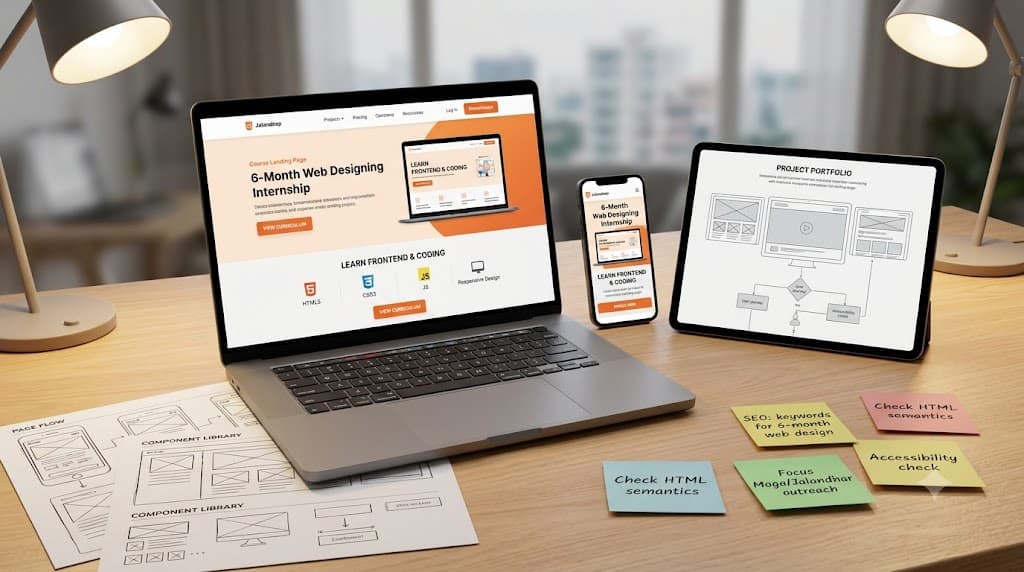
6 month web designing internship in Hoshiarpur
Accurate digital presence helps organisations showcase their services, engage visitors, structure information effectively, ensure responsive layouts, and measure user interaction. Web design software and development tools support this work by organising wireframes, style sheets, media assets, and site architecture. However, reliable results depend on the designer's foundational knowledge, coding standards, and attention to user experience.
Learning Web Designing and Frontend Development in Hoshiarpur involves connecting design fundamentals with practical coding standards and modern publishing tools. Students need to understand visual hierarchy, select suitable layout structures, write clean markup, and review responsive performance across devices.
Learners can contact Techcadd Hoshiarpur to discuss their educational background, career goals, and available 6-month training options. A structured approach helps beginners develop confidence through realistic project portfolios rather than relying entirely on memorised templates.
What Is Web Designing?
Web designing encompasses user interface layout, visual styling, responsive structuring, and front-end implementation to create functional and accessible websites. Depending on the project requirements, scope, and target audience, users can work with wireframes, markup languages, styling rules, and publishing assets.
Learning the design process begins with understanding how business goals are represented in site architecture. A page layout, navigation menu, or call-to-action section needs appropriate structural classification and semantic markup.
A 6-Month Web Designing Course in Hoshiarpur can introduce:
Setting up a professional local development workspace.
Conducting content planning and wireframe creation.
Writing clean HTML5 markup and structural tags.
Styling pages using CSS3 and modern layout frameworks.
Implementing responsive design for mobile devices.
Reviewing browser compatibility and basic SEO factors.
Managing organised project files and site publishing.
Software and code editors make creation easier to process, but they do not replace design judgement and structured planning.
What Does Web Design Management Involve?
Design management involves organising the information and processes needed to support end-to-end website creation. It connects visual mockups, code files, media assets, client feedback, and preparation for live deployment.
Students should understand that applying a colorful background is only one part of the process. The site's loading speed, mobile responsiveness, and accessibility guidelines also need attention.
Web Design Training in Hoshiarpur can introduce:
Reviewing client briefs and content requirements.
Maintaining asset folders and stylesheet records.
Checking markup consistency across screen sizes.
Recording documented code iterations.
Comparing performance metrics across browsers.
Preparing design review schedules.
Tracking unresolved layout or styling issues.
The aim is a clear, traceable workflow in which code and design decisions can be connected with user needs and project goals.
Why Learn Design and Code Together?
Visual layout design and frontend coding depend on the same underlying structural requirements. Studying them together helps learners understand how a design choice affects code complexity, page loading speed, and mobile responsiveness.
For example, a landing page exercise can involve reading project requirements, sketching layout wireframes, writing HTML and CSS, testing responsiveness, and preparing files for deployment.
A 6-Month Web Designing Course in Hoshiarpur can help develop:
Practical layout and coding understanding.
Accurate file-naming and markup habits.
Familiarity with web standards and documentation.
Confidence in presenting design and code solutions.
Better discrepancy-identification and debugging skills.
Clearer communication with clients and developers.
Learning becomes more useful when students follow complete web development workflows instead of practising isolated code snippets without checking their visual impact.
Who Can Learn Web Designing?
Web design learning can suit students and professionals with different starting points. Creative knowledge may help, but beginners can start with foundational markup before moving into advanced styling and internship projects.
Potential learners include:
Computer science and IT students.
Graduates exploring frontend support work.
Graphic designers transitioning to digital web design.
Business owners building their own company websites.
Freelancers looking to expand their service offerings.
Professionals refreshing practical technical skills.
Before selecting Web Designing Classes in Hoshiarpur, discuss prerequisites, software access, project assignments, and the expected starting level. Learners should understand whether the training begins with basic markup or assumes previous design experience. This makes it easier to identify a suitable learning path and prepare effectively.
Build Strong Web Foundations
Code operations make more sense when learners understand document structure, semantic tags, inheritance in styles, box models, positioning, and the purpose of responsive design.
Students should learn how a CSS property affects multiple elements and why the code must reflect the visual layout accurately.
A Basic Web Design Course in Hoshiarpur can introduce:
The internet and how websites work.
HTML document structure and semantics.
CSS selectors, colors, and typography.
Box model, margins, and padding.
Flexbox and Grid layouts.
Responsive media queries.
Basic browser developer tools.
Use straightforward examples first. Understanding the underlying code helps students recognise an unsuitable layout method even when the browser renders the page and figures appear aligned.
Setting Up a Practice Website
Initial project setup influences later coding sessions, so beginners should approach it carefully. Use a fictional business website with clearly defined requirements for training.
Record the site structure, relevant brand guidelines, page inventory, and the scope of the exercise. Review folder settings before writing large amounts of code.
Useful setup habits include:
Following consistent folder and file naming conventions.
Recording design assumptions and layout plans.
Checking asset compression and image formats.
Separating practice files from live production sites.
Confirming which device breakpoints the exercise requires.
Saving a version backup before major code changes.
Students exploring Practical Web Design Training in Hoshiarpur should understand why a specific CSS property is needed rather than copying it from another site without examining suitability.
Creating Pages and Layout Structures
HTML documents organise web content into meaningful semantic sections. Stylesheets help maintain visual consistency across pages and devices.
Incorrect markup structure can affect accessibility and styling, making this an important area for practical review. Students should understand the purpose of each tag and how it relates to the page content.
Practice activities include:
Creating homepage and subpage HTML templates.
Setting up external CSS stylesheets.
Reviewing semantic markup tags (header, nav, main, footer).
Checking code against supplied wireframe documents.
Avoiding unnecessary duplicate styles.
Correcting documented markup validation mistakes.
A clear coding approach makes websites easier to maintain. Similar class names should not be used casually when they could cause users or developers to apply incorrect styles during updates.
Styling and Responsive Design
Visual styling and responsive rules connect design mockups with frontend code. Learners need to read the complete design brief and identify device requirements before writing CSS rules.
Web Design Internship Training in Hoshiarpur can include:
Coding responsive navigation menus.
Preparing sample hero banner sections.
Distinguishing desktop and mobile layout rules.
Checking color contrast for readability.
Reviewing typography scales and spacing units.
Inspecting hover and focus states for interactive elements.
After coding, compare the browser output with the design mockup. Then review the code across different screen sizes. This multi-stage check helps identify layout bugs that may not be obvious from a single desktop view alone.
Forms, Interactivity, and User Input
Static pages and interactive forms are different deliverables. Similarly, designing a layout does not necessarily mean users can submit data successfully.
Students should understand how HTML forms collect user input and how CSS styles form elements for usability.
Useful exercises include:
Creating contact and inquiry forms.
Styling input fields and submit buttons.
Reviewing form validation attributes.
Checking touch targets for mobile form fields.
Identifying broken input labels.
Preparing a testing checklist for user submissions.
Accurate forms support client lead generation. Avoid hiding validation errors simply to make the interface look finished. Gaps need proper markup fixes and, where necessary, clear user feedback messages.
Managing Assets and Site Performance
Asset work connects images, icons, scripts, stylesheets, and loading speed. It requires consistent compression and careful handling of media files.
A Web Performance Course in Hoshiarpur can introduce:
Optimizing images for web delivery.
Defining appropriate vector and raster formats.
Organizing media asset folders.
Connecting stylesheets efficiently.
Reviewing page load times and bottlenecks.
Comparing site performance with optimization standards.
Start with a small website dataset so students can trace file changes easily. Check whether the design assets and code files have both been represented appropriately. Page visuals may look appealing while unoptimized images slow down loading speed, so review technical detail as well as visual appeal.
Understanding SEO and Accessibility Basics
Website setup and code structure should reflect search engine guidelines and accessibility standards. Learners need to understand the purpose of meta tags and the consequences of poor accessibility.
Web Design SEO Training in Hoshiarpur can introduce the use of title tags, meta descriptions, alt attributes, heading hierarchies, and keyboard navigation within a controlled project dataset.
Students should practise:
Reading supplied project SEO requirements.
Checking relevant meta tag details.
Reviewing heading tag structures.
Comparing image alt texts with visual content.
Identifying accessibility barriers.
Documenting recommendations for site improvement.
Standards and guidelines can change. Training should develop the habit of consulting current web standards instead of relying only on remembered examples.
Code Review and Validation
Website review requires accurate testing and a clear connection between rendering errors and underlying code. Learners should check markup validity, link integrity, responsiveness, and browser compatibility.
A Web Development Review Course in Hoshiarpur can use sample code containing deliberate markup and styling mistakes.
Useful checks include:
Correct closing tags and syntax.
Consistent internal and external links.
Appropriate viewport meta tags.
Clear error-free console outputs.
Agreement between design wireframes and code output.
Accurate references to asset file paths.
Read through validator reports before publishing a page. Missing attributes should be investigated through proper debugging rather than supplied through assumptions. A visually complete page still needs careful code validation.
Updates, Redesigns, and Maintenance
Live websites may change after initial deployment. Layouts can break on new device sizes, client feedback may require content updates, or a code audit may require a documented correction.
Students should understand how a code update relates to original files and how it affects overall site stability.
Practical activities include:
Identifying reported layout bugs.
Recording code modification reasons.
Checking cross-browser compatibility.
Maintaining version control backups.
Reviewing the impact on existing stylesheets.
Listing matters requiring further testing.
Do not delete or overwrite code haphazardly merely to force a quick fix. A traceable update process makes site maintenance easier and helps explain why files changed.
Testing and Cross-Browser Review
Testing compares website rendering across different browsers and investigates inconsistencies. Students can begin by checking desktop browsers before progressing to mobile device testing.
Official web standards advise developers to test sites across multiple viewports and input methods.
Web Testing Training in Hoshiarpur can cover:
Comparing rendering across major browsers.
Finding missing or broken stylesheet links.
Checking touch and mouse interaction states.
Recording unresolved layout issues.
Preparing follow-up bug fix schedules.
Documenting testing conclusions.
Visual design and code validation are separate questions. A page looking correct in one browser does not remove the need to verify compatibility across others.
Reviewing Portfolios and Preparing Internships
Portfolios help students showcase their web design and coding skills to potential employers. Beginners should learn to present both the visual design mockups and the underlying code structure.
Useful practice deliverables include wireframes, responsive UI designs, live-coded project links, and GitHub repository documentation. The available portfolio artifacts depend on project scope.
Learners should ask:
Does the project showcase responsive layouts?
Are all design decisions connected to functional code?
Can code files be easily reviewed on GitHub?
Are cross-browser checks reflected appropriately?
Do unresolved styling issues remain?
What needs further refinement before publishing?
Portfolio presentation should produce clear, understandable demonstrations. Add clear notes about technical challenges and solutions instead of presenting an unfinished template as a finished product.
Collaborative Tools for Supporting Work
Collaboration tools are useful for code sharing, version control, design handoffs, and project tracking. They should support a clear workflow rather than become an unstructured collection of loose files.
Important beginner skills include:
Consistent file and folder organisation.
Using Git and GitHub for version control.
Inspecting code using browser developer tools.
Organizing project assets cleanly.
Documenting setup instructions in README files.
Checking live deployment links.
Separating draft files from production code.
After publishing or sharing code repositories, review the live site to confirm that links and stylesheets remain functional. A neat local folder may still contain broken relative paths online. Document the project scope, technologies used, and setup steps so reviewers can understand your work.
Practical Projects and Professional Habits
A complete 6-month web design internship exercise helps learners connect wireframing, HTML/CSS coding, responsive styling, asset management, and portfolio presentation.
Useful assignments include organising project briefs, creating wireframes, coding responsive pages, testing cross-browser compatibility, publishing live demo sites, and writing project documentation.
Keep training files organised and separate from live client projects. Protect access credentials and follow agreed development workflows.
Professional habits also include meeting milestone deadlines, incorporating feedback constructively, preserving code backups, and explaining design choices clearly. These behaviours make technical knowledge more valuable within a development team. Progress should be demonstrated through clean, functional, and responsive web work rather than the number of pages coded.
Explore Learning Options with Techcadd
When discussing a Techcadd Web Designing Internship in Hoshiarpur, explain your current technical background and the career roles you want to target with confidence.
Ask about design fundamentals, coding languages (HTML, CSS, JavaScript basics), practical project datasets, mentor feedback, and internship placement support. Confirm course duration, batch timings, equipment requirements, fees, and any certification details directly with Techcadd.
A suitable learning plan should help students explain code structure, write responsive stylesheets, deploy live websites, and recognise technical issues needing further attention. Clear expectations make it easier to assess progress through completed project portfolios and choose relevant career next steps.
Conclusion
Learning Web Designing and Frontend Development in Hoshiarpur can provide a foundation in layout design, markup standards, responsive styling, asset management, and site publishing. Reliable work combines software and code proficiency with attention to detail, structured workflows, and thoughtful testing.
Contact Techcadd Hoshiarpur to discuss relevant 6-month internship options. Practise complete web development workflows, investigate rendering issues carefully, and develop the confidence to support routine design and coding responsibilities while recognising when additional guidance is required.