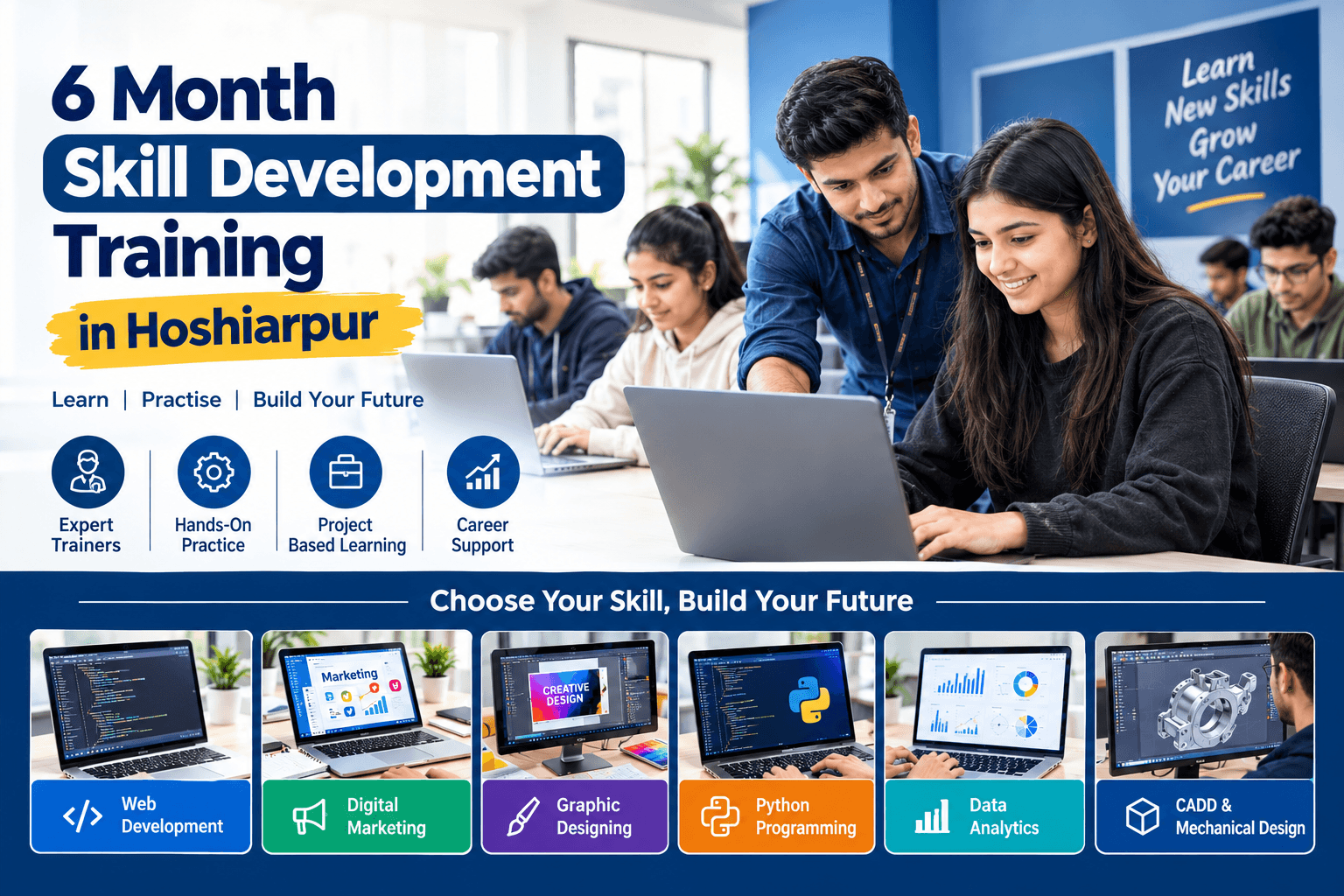
6 Month Skill Development Training in Hoshiarpur
6 Month Skill Development Training in Hoshiarpur
In today's competitive world, having a degree is valuable, but practical skills are equally important. Employers often look for candidates who understand their field, can use relevant tools, solve problems, and complete tasks confidently. Skill development training helps students prepare for these expectations by combining learning with practical activities.
TechCadd Hoshiarpur provides skill-focused training opportunities for students, freshers, job seekers, and individuals who want to improve their technical abilities. Our six-month skill development training page is designed for learners who want to explore professional computer courses, develop practical knowledge, and work towards their career goals.
The 6 month skill development training in Hoshiarpur focuses on learning concepts step by step and applying them through exercises and projects. Depending on the selected programme, students can learn website creation, programming, digital marketing, graphic designing, data analysis, or computer-aided design.
A six-month learning period gives students time to understand the fundamentals, practise important tools, complete assignments, and improve their performance gradually. Instead of trying to learn everything at once, learners can build their knowledge through regular practice and guidance.
What Is Skill Development Training?
Skill development training is a learning process that helps individuals gain the knowledge and abilities required to perform specific tasks. It can include technical skills, computer applications, creative software, communication, problem-solving, and project development.
For example, a student interested in website creation can learn HTML, CSS, and JavaScript. Someone interested in creative work can explore graphic design software and visual communication. Students interested in data can learn spreadsheet functions, data visualisation, and reporting tools.
The purpose is to help learners understand how their knowledge can be applied in practical situations. The skills gained depend on the selected course, training syllabus, practice time, and individual progress.
Why Choose a Six-Month Training Programme?
A six-month programme can provide a structured learning path for students who need time to understand concepts and practise them regularly.
During the training period, learners can progress from basic concepts to more advanced exercises. They may also work on practical assignments, develop projects, receive feedback, and identify areas that need improvement.
This approach can help students build confidence, develop a better understanding of their chosen field, and create work samples to demonstrate their abilities.
Skill Development Courses Available
1. Web Development Training
Web development is suitable for learners interested in creating websites and web applications. Students can explore the fundamentals of website structure, styling, interactive features, and responsive layouts.
Depending on the course syllabus, topics may include HTML, CSS, JavaScript, WordPress, and introductory backend technologies.
Practical assignments may involve creating personal websites, business websites, landing pages, and other web projects. These exercises help students understand how websites are designed, developed, and maintained.
2. Python Programming Training
Python is a widely used programming language known for its readable syntax. It is used in software development, automation, data analysis, and artificial intelligence applications.
Python training may cover variables, data types, operators, conditional statements, loops, functions, lists, dictionaries, file handling, and object-oriented programming.
Students can practise writing small programs and gradually work towards practical applications. Regular coding practice helps learners improve their logical thinking and problem-solving abilities.
3. Digital Marketing Training
Digital marketing helps businesses promote their products and services through online platforms. It combines creativity, strategy, content creation, and performance measurement.
Students may learn search engine optimisation (SEO), social media marketing, keyword research, content planning, website analytics, and online advertising fundamentals, depending on the syllabus.
Practical exercises can include keyword research, SEO audits, content calendars, social media campaigns, and performance reports. These activities help learners understand how digital marketing strategies are planned and evaluated.
4. Graphic Designing Training
Graphic designing is a useful option for students who enjoy creativity and visual communication. It involves creating designs that communicate information clearly through images, colours, typography, and layouts.
Training may include Adobe Photoshop, Adobe Illustrator, CorelDRAW, and other design tools, depending on the selected programme.
Students can practise creating posters, social media posts, brochures, banners, advertisements, and promotional graphics. Building a portfolio of original work can help demonstrate their design abilities.
5. Data Analytics Training
Data analytics focuses on organising, examining, and presenting information to support better decisions. It can be useful in business, administration, sales, finance, and other professional fields.
Depending on the course, students may learn Microsoft Excel, spreadsheet formulas, data cleaning, charts, Power BI, SQL, and introductory Python for data analysis.
Practical assignments can include preparing reports, analysing datasets, creating dashboards, and presenting information through charts. These activities help learners understand how raw data can be transformed into meaningful insights.
6. CADD and Mechanical Design Training
Students interested in engineering drawings, product design, and mechanical components can explore computer-aided design training.
Depending on the chosen course, topics may include AutoCAD, SOLIDWORKS, 2D drafting, 3D modelling, assemblies, and engineering drawings.
Practical exercises help learners understand technical drawings and create digital models of components. These skills can support further learning and career preparation in drafting, mechanical design, and related technical areas.
7. Basic Computer and MS Office Skills
Basic computer knowledge is important for education, office work, and many professional roles. Students who are new to computers can start by learning computer fundamentals and essential software applications.
Training may cover Windows, file management, typing, internet usage, email, Microsoft Word, Excel, and PowerPoint.
These skills help learners prepare documents, organise information, create presentations, and complete everyday computer tasks more efficiently.
What Will You Learn During Six Months?
The exact curriculum depends on the selected course. A general six-month learning plan may follow the structure below.
Month 1: Fundamentals
Understand the basic concepts of your selected field. Become familiar with the relevant software, tools, terminology, and essential techniques.
Month 2: Core Skills
Learn important functions and techniques through guided exercises. Practise the skills needed to complete common tasks in your chosen area.
Month 3: Practical Application
Apply your knowledge to assignments and more detailed exercises. Learn to identify errors, solve problems, and improve the quality of your work.
Month 4: Project Development
Start working on a practical project related to your course. This may involve creating a website, designing promotional material, developing a program, analysing data, or preparing a CAD model.
Month 5: Skill Improvement
Refine your project, practise more advanced techniques, and improve your speed, accuracy, and confidence. Use feedback to identify areas for improvement.
Month 6: Project Completion and Career Preparation
Complete your project, organise relevant work samples, and review the concepts you have learned. Depending on the programme, career preparation may include resume guidance, interview practice, and project presentation.
This is a suggested learning structure, not a guaranteed syllabus. The actual schedule and project requirements should be confirmed with the institute.
Benefits of Skill Development Training
Practical Knowledge
Practical exercises help learners apply theoretical concepts to tasks related to their chosen field. Regular practice can improve understanding and help students become more comfortable using professional tools.
Improved Technical Skills
Training gives students an opportunity to develop specific abilities, whether they are learning to create websites, write programs, design graphics, analyse data, or prepare engineering drawings.
Project-Based Learning
Projects allow students to combine different concepts and demonstrate what they have learned. Depending on the course, students can develop websites, design collections, programming applications, reports, dashboards, or 3D models.
Better Problem-Solving Abilities
Working through assignments encourages learners to identify problems, test solutions, and improve their results. These skills can be useful in both professional and academic settings.
Career Preparation
Skill development can help students prepare for entry-level opportunities by strengthening their practical knowledge and providing examples of their work.
Continued Learning
Once students understand the fundamentals, they can continue learning advanced tools, specialised technologies, and new techniques relevant to their chosen career.
Who Can Join Skill Development Training?
Six-month skill development training may be suitable for:
School students who want to explore computer skills, subject to course eligibility.
College students who want to develop practical technical knowledge.
Diploma and engineering students interested in specialised software.
Fresh graduates preparing for job opportunities.
Job seekers who want to improve their computer skills.
Beginners interested in web development, programming, design, or digital marketing.
Working professionals who want to strengthen selected skills.
Individuals interested in building a portfolio for freelance work.
The eligibility criteria vary according to the selected course. Some specialised programmes may require previous computer knowledge or a relevant educational background.
Why Choose TechCadd Hoshiarpur?
Structured Learning
A structured learning plan helps students progress from foundational concepts to practical assignments. It also gives learners a clearer understanding of what they need to practise next.
Focus on Practical Skills
Practical learning encourages students to use the tools and techniques covered in their course rather than relying only on theoretical explanations.
Multiple Learning Paths
Students can explore different areas of technology, design, business applications, and computer-aided design according to their interests and career goals.
Project Practice
Completing projects helps students apply their knowledge and create examples of their work. A suitable portfolio can support future job applications or freelance opportunities.
Guidance and Feedback
Guidance during training can help students understand difficult topics, correct mistakes, and improve their work through regular practice.
Local Training Option
Students searching for skill development training in Hoshiarpur can explore local learning options and enquire about course availability, schedules, fees, eligibility, and practical training arrangements.
Career Opportunities After Skill Development Training
The career opportunities available after training depend on the skills developed, educational qualifications, project experience, and employer requirements.
Web development learners may prepare for junior web development or website support roles. Python learners may continue towards programming and automation opportunities. Digital marketing students can explore SEO and marketing assistant roles. Graphic design learners may pursue junior design positions or freelance projects.
Students who learn data analytics can build towards reporting, spreadsheet, and dashboard-related roles. CADD learners may explore drafting and mechanical design opportunities, depending on their technical qualifications.
Basic computer and MS Office skills can support applications for office assistant, computer operator, data entry, and administrative roles.
A six-month training programme does not automatically guarantee employment. Students should continue practising, develop relevant projects, and review the qualifications required for their preferred positions.
How to Choose the Right Skill Development Course
Selecting the right course is an important step towards achieving your goals.
First, think about the type of work you enjoy. If you like coding and building websites, consider web development or Python programming. If you enjoy visual creativity, explore graphic designing. If you prefer working with numbers and reports, data analytics may be a suitable option. If you are interested in engineering and product design, explore CADD training.
Next, review the syllabus and check which software and tools are covered. Ask about practical assignments, project work, class schedules, course duration, fees, and certification requirements.
You should also consider your current knowledge and the time you can dedicate to practice. Choosing a course that matches your interests and learning level can help you stay motivated throughout the programme.
Before enrolling, confirm the current availability of the selected six-month programme and its specific learning outcomes.
Start Your Skill Development Journey in Hoshiarpur
Developing practical skills is a useful step towards preparing for your future. Whether you want to learn programming, create websites, design graphics, understand digital marketing, analyse data, or develop technical drawing skills, the right training programme can help you build a strong foundation.
TechCadd Hoshiarpur provides a local option for students and learners who want to explore professional computer and technical training.
Choose a learning path that matches your interests, practise consistently, and work towards building skills you can demonstrate through projects.
Contact TechCadd Hoshiarpur to enquire about available six-month skill development courses, eligibility, training schedules, fees, and enrolment details.
Frequently Asked Questions
1. What is six-month skill development training?
Six-month skill development training is a structured learning programme designed to help students develop specific technical, computer, creative, or professional skills through lessons, practical exercises, and projects.
2. Who can join six-month skill development training in Hoshiarpur?
College students, diploma holders, graduates, job seekers, working professionals, and eligible beginners can explore suitable programmes according to their interests and educational background.
3. Which courses are available for skill development?
Possible learning areas include web development, Python programming, digital marketing, graphic designing, data analytics, CADD, basic computer skills, and MS Office. Confirm the current course list with TechCadd Hoshiarpur.
4. Can beginners join skill development training?
Yes, many basic computer and technical courses are suitable for beginners. Some specialised programmes may require prior knowledge or specific qualifications.
5. Does the training include practical projects?
Practical assignments and projects may be included, depending on the selected programme. Ask about the project work and practical training hours before enrolling.
6. Will I receive a certificate after completing the course?
Certificate availability depends on the selected course and its completion requirements. Confirm the certificate details with the institute before enrolment.
7. Can skill development training help me get a job?
Training can help you develop relevant knowledge, practise technical tasks, and build a portfolio. Employment depends on your skills, qualifications, experience, and the requirements of individual employers.
8. How do I choose the right skill development course?
Consider your interests, current knowledge, career goals, course syllabus, software covered, practical projects, and eligibility requirements before making a decision.