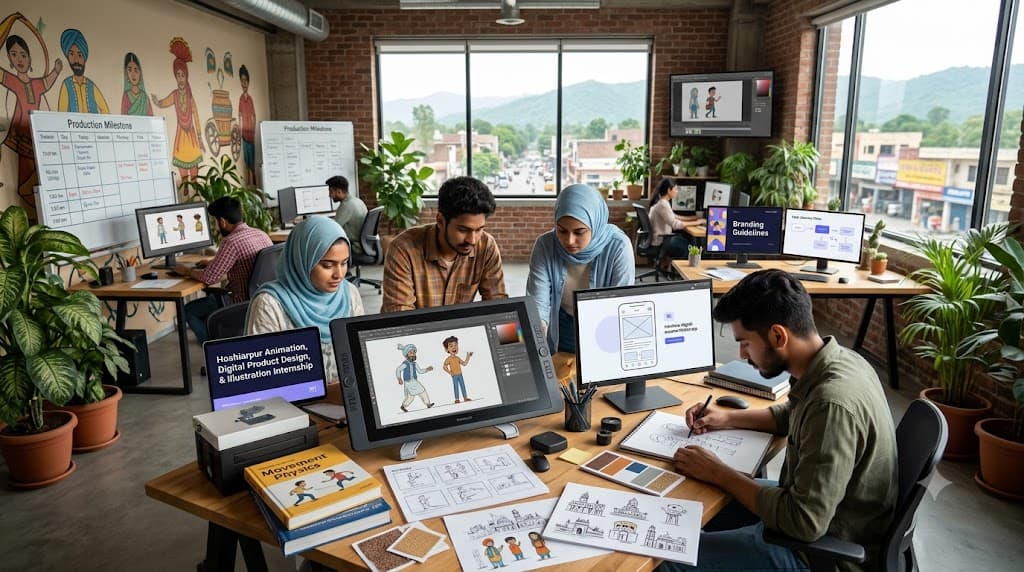
6-Month Animation Internship in Hoshiarpur
Accurate digital animation helps organizations communicate complex concepts, engage audiences through visual storytelling, design intuitive motion graphics, ensure fluid visual experiences, and measure audience engagement performance. Animation software supports this work by organizing storyboards, keyframes, asset libraries, rigs, and production pipelines. However, reliable results depend on the animator's foundational knowledge, artistic timing, and attention to project feedback.
Learning Animation and Motion Graphics in Hoshiarpur involves connecting artistic fundamentals with practical software tools and industry-standard workflows. Students need to understand movement physics, select suitable animation styles, test interactive motion sequences, and review rendering performance metrics.
Learners can contact Techcadd Hoshiarpur to discuss their creative background, career goals, and available 6-month training options. A structured approach helps beginners develop confidence through realistic project portfolios rather than relying entirely on memorized tool shortcuts.
What Is Animation and Motion Design?
Animation encompasses 2D animation, 3D modeling, motion graphics, and visual effects (VFX) to create digital media that are visually engaging, expressive, and dynamically paced. Depending on the project requirements, scope, and target audience, users can work with storyboarding, character rigging, kinetic typography, and rendering assets.
Learning the production process begins with understanding how narrative concepts are represented in visual motion. A timing requirement, character expression, or transition flow needs appropriate frame-by-frame testing and structural classification.
A 6-Month Animation Course in Hoshiarpur can introduce:
Setting up a professional animation workspace and project directory.
Conducting visual research and character sketching.
Designing storyboards and animatics.
Creating keyframe animations and 3D assets.
Maintaining scalable asset libraries and rigs.
Reviewing frame rates, resolution, and rendering formats.
Managing organized asset handoffs for post-production.
Software makes visual creation easier to process, but it does not replace artistic judgment and timing intuition.
What Does Animation Production Management Involve?
Production management involves organizing the assets and workflows needed to support end-to-end media development. It connects concept art, storyboards, asset libraries, stakeholder feedback, and preparation for final rendering and delivery.
Students should understand that applying a trendy filter or plugin effect is only one part of the process. The viewer's attention span, platform specifications, and hardware rendering limits also need attention.
Animation Training in Hoshiarpur can introduce:
Reviewing client feedback and revision notes.
Maintaining component and asset library records.
Checking motion consistency across different output aspect ratios.
Recording documented animation iterations.
Comparing render times and export settings across formats.
Preparing production milestone schedules.
Tracking unresolved visual friction points and glitches.
The aim is a clear, traceable workflow in which creative decisions can be connected with project requirements and storytelling goals.
Why Learn 2D and 3D Animation Together?
Traditional 2D timing principles and 3D spatial dynamics depend on the same underlying motion laws and project constraints. Studying them together helps learners understand how perspective changes affect weight, spacing, and final production success.
For example, a motion graphics project can involve reading client requirements, sketching storyboards, blocking keyframes, rendering high-fidelity sequences, and preparing files for final delivery.
A 6-Month Animation Course in Hoshiarpur can help develop:
Practical principles of animation understanding.
Accurate keyframing and graph editor habits.
Familiarity with production documentation and style guides.
Confidence in presenting visual solutions and showreels.
Better discrepancy-identification and critique skills.
Clearer communication with directors, editors, and stakeholders.
Learning becomes more useful when students follow complete production workflows instead of practicing isolated scenes without checking their storytelling impact.
Who Can Learn Animation and Motion Design?
Animation learning can suit students and professionals with different starting points. Artistic knowledge may help, but beginners can start with design foundations before moving into advanced 3D rigging exercises.
Potential learners include:
Fine art and illustration students.
Graduates exploring multimedia design and video editing work.
Graphic designers looking to transition into motion graphics.
Video creators wanting to improve visual effects skills.
Entrepreneurs producing their own promotional media.
Professionals refreshing practical showreel skills.
Before selecting Animation Classes in Hoshiarpur, discuss prerequisites, software access, project assignments, and the expected starting level. Learners should understand whether the training begins with core motion theories or assumes previous software experience. This makes it easier to identify a suitable learning path and prepare effectively.
Build Strong Artistic Foundations
Software operations make more sense when learners understand the 12 principles of animation, timing, spacing, weight, silhouette, and the purpose of character appeal.
Students should learn how motion physics affects viewer attention and why the animation must reflect realistic weight and momentum accurately.
A Basic Animation Course in Hoshiarpur can introduce:
The 12 principles of animation.
Timing and spacing charts.
Blocking and pose-to-pose creation.
Storyboarding and thumbnail sketching.
Camera framing and composition rules.
Color theory and lighting psychology.
Basic motion critique evaluation.
Use straightforward examples first. Understanding the underlying motion intent helps students recognize awkward movement even when the software allows the keyframe and the visuals appear clean.
Setting Up an Animation Project
Initial file setup influences later production iterations, so beginners should approach it carefully. Use a fictional creative brief with clearly defined project requirements for training.
Record the target audience details, relevant brand guidelines, project scope, and delivery specifications. Review frame rate and resolution settings before creating large component libraries.
Useful setup habits include:
Following consistent naming conventions for layers, bones, and assets.
Recording design assumptions and narrative goals.
Checking grid alignment and stage boundaries.
Separating practice timelines from final render deliverables.
Confirming which output resolutions and codecs the exercise requires.
Saving a version history backup before major animation overhauls.
Students exploring Practical Animation Training in Hoshiarpur should understand why a specific movement curve is needed rather than copying it from another reference without examining suitability.
Creating Storyboards and Animatics
Storyboards organize narrative journeys into meaningful visual sequences. Asset libraries help maintain consistency across scenes and shots.
Incorrect layout or staging choices can affect many later frames, making this an important area for practical review. Students should understand the purpose of each camera angle and how it relates to the overall narrative.
Practice activities include:
Creating thumbnail storyboards for pacing.
Setting up global style frames and color palettes.
Reviewing timeline layering and parenting rules.
Checking visual elements against supplied creative briefs.
Avoiding unnecessary duplicate assets.
Correcting documented timing and spacing mistakes.
A clear naming approach makes project files easier to understand for editors and collaborators. Similar asset names should not be used casually when they could cause team members to select the wrong file during handoff.
Designing Motion Graphics and Visuals
Motion design and visual styling connect brand identity with dynamic viewer engagement. Learners need to read the complete creative brief and identify audience expectations before selecting color themes or drafting motion elements.
Motion Design Training in Hoshiarpur can include:
Designing responsive social media motion ads and broadcast graphics.
Preparing sample dark-mode and light-mode variations.
Distinguishing primary focal points from background elements.
Checking contrast ratios and legibility for kinetic text.
Reviewing easing curves and graph editor velocity.
Inspecting asset states and loop seamlessness.
After animation creation, compare the output with the creative brief and brand guidelines. Then review the complete visual flow. This multi-stage check helps identify pacing flaws that may not be obvious from a single frame alone.
Rigging, Dynamics, and Simulation
Static models and rigged characters are different deliverables. Similarly, modeling a character does not necessarily mean it can deform naturally during movement.
Students should understand how rigging constraints affect character performance and how to simulate realistic cloth, hair, and particle interactions.
Useful exercises include:
Building skeletal rigs and inverse kinematics (IK) controls.
Setting up facial blendshapes and expression controllers.
Reviewing dynamic simulations for cloth and rigid bodies.
Checking joint weight painting for smooth deformation.
Identifying broken mesh distortions and clipping.
Preparing a technical rigging checklist and test log.
Accurate rigs support complex character performance and animator productivity. Avoid hiding mesh tears simply to make the viewport look finished. Gaps need weight adjustment and, where necessary, topology revisions.
Rendering, Lighting, and Special Effects
Rendering systems connect lighting setups, shaders, particle effects, and output quality. It requires consistent naming conventions and careful handling of render layers and passes.
A 3D Animation and Rendering Course in Hoshiarpur can introduce:
Creating sample material shaders and PBR textures.
Defining appropriate lighting setups (three-point lighting, HDRI).
Organizing render passes and AOVs (Arbitrary Output Variables).
Connecting animation caches with simulation outputs.
Reviewing render engine settings (Ray tracing, GPU vs CPU).
Comparing render outputs with color grading standards.
Start with a small lighting scene so students can trace render times easily. Check whether the visual style and texture maps have both been represented appropriately. Scene layouts may look clean while individual materials contain broken texture paths, so review detail as well as global lighting.
Understanding Visual Storytelling and Direction
Directorial strategy and story pacing should reflect the project goals and target audience. Learners need to understand the purpose of visual rhythm and the consequences of poor timing.
Animation Direction Training in Hoshiarpur can introduce the use of mood boards, script breakdown, animatics, and peer review sessions within a controlled project dataset.
Students should practice:
Reading the supplied creative briefs.
Checking relevant audience demographic details.
Reviewing timing and pacing insights.
Comparing audience reactions with narrative hypotheses.
Identifying core visual clutter points.
Documenting recommendations for video improvement.
Animation trends and viewer expectations can change. Training should develop the habit of consulting current industry benchmarks and visual standards instead of relying only on remembered examples.
Animation Review and Quality Evaluation
Project evaluation requires accurate feedback and a clear connection between visual friction points and the underlying animation keys. Learners should check timing, visual hierarchy, camera clarity, and render quality.
A Motion Evaluation Course in Hoshiarpur can use sample animation clips containing deliberate timing and weight mistakes.
Useful checks include:
Correct anticipation, follow-through, and overlapping action.
Consistent camera framing and motion paths.
Appropriate text readability and duration on screen.
Clear focal points for viewer guidance.
Agreement between narrative goals and motion design.
Accurate references to production specifications.
Read through critique notes before final rendering. Missing visual details should be investigated through structured reviews rather than supplied through assumptions. A professional-looking still frame still needs careful motion testing.
Animation Iterations, Revisions, and Edge Cases
Digital media projects may change after initial client reviews. Timings can feel sluggish, audience feedback may reveal confusion, or a quality audit may require a documented correction.
Students should understand how an animation iteration relates to the original storyboard and how it affects render times and final delivery.
Practical activities include:
Identifying the original pacing problem.
Recording the creative rationale for changes.
Checking format and resolution compliance.
Maintaining version control references for project files.
Reviewing the impact on existing asset libraries.
Listing matters requiring further review.
Do not delete or overwrite previous work files merely to force agreement between versions. A traceable iteration process makes showreel presentation easier and helps explain why the project evolved.
Portfolio Review and Showreel Preparation
Showreels help students showcase their animation skills to potential employers. Beginners should learn to move between high-level project highlights and the detailed breakdown of their process.
Useful practice deliverables include character turnaround sheets, storyboards, animation blocking passes, final rendered clips, and technical breakdown documentation. The available showreel artifacts depend on the project scope and software used.
Learners should ask:
Does the showreel demonstrate fundamental animation principles?
Are all technical skills connected to creative execution?
Can animation choices be traced back to project briefs?
Are clean topology and proper rigging reflected appropriately?
Do unresolved visual questions remain?
What needs further refinement before publishing?
Showreel presentation should produce clear, understandable storytelling. Add clear notes about production challenges and software constraints instead of presenting an unfinished animation as a final masterwork.
Collaborative Tools for Supporting Work
Collaborative production tools are useful for asset sharing, version control, review comments, and render tracking. They should support a clear workflow rather than become an unstructured collection of random files.
Important beginner skills include:
Consistent layer, asset, and scene naming.
File packaging and asset collection for transfer.
Timeline organization and marker usage.
Organizing project bins and asset folders effectively.
Using version control and incremental saves.
Checking render export settings and compression codecs.
Separating exploration drafts from production finals.
After exporting media files, review several exports to confirm that audio sync and frame rates remain functional. A neat project folder may still contain dropped frames or missing textures. Document the production background, target audience, and project goals so supervisors and clients can understand the solution.
Practical Projects and Professional Habits
A complete 6-month animation project helps learners connect storytelling, storyboarding, modeling/rigging, animation, lighting, rendering, and showreel presentation.
Useful assignments include organizing creative briefs, creating animatics, animating character cycles, lighting 3D scenes, rendering final sequences, and cutting a professional showreel.
Keep training files organized and separate from live client projects. Protect sensitive project assets and follow agreed pipeline standards.
Professional habits also include meeting milestone deadlines, incorporating critique constructively, preserving incremental backups, and explaining design decisions clearly. These behaviors make software knowledge more valuable within a creative team. Progress should be demonstrated through well-crafted, purposeful animation work rather than the number of frames completed.
Explore Learning Options with Techcadd
When discussing a Techcadd Animation Design Course in Hoshiarpur, explain your current creative background and the career roles you want to target with confidence.
Ask about artistic fundamentals, software versions (such as Blender, Maya, After Effects, and Premiere Pro), practical project datasets, mentor feedback, and showreel reviews. Confirm course duration, batch timings, equipment requirements, fees, and any certification details directly with Techcadd.
A suitable learning plan should help students explain animation rationales, master timing and weight, execute smooth rigs, and recognize technical issues needing further attention. Clear expectations make it easier to assess progress through completed showreels and choose relevant career next steps.
Conclusion
Learning Animation and Motion Design in Hoshiarpur can provide a foundation in visual storytelling, 2D/3D animation, rigging, rendering, and media evaluation. Reliable work combines software proficiency with artistic timing, structured production workflows, and thoughtful iteration.
Contact Techcadd Hoshiarpur to discuss relevant 6-month training options. Practice complete production workflows, investigate motion feedback carefully, and develop the confidence to support routine animation responsibilities while recognizing when additional guidance is required.
Would you like me to help you format this content into specific section blocks or generate SEO metadata (such as a meta title and description) for publishing this page on the Techcadd CMS?