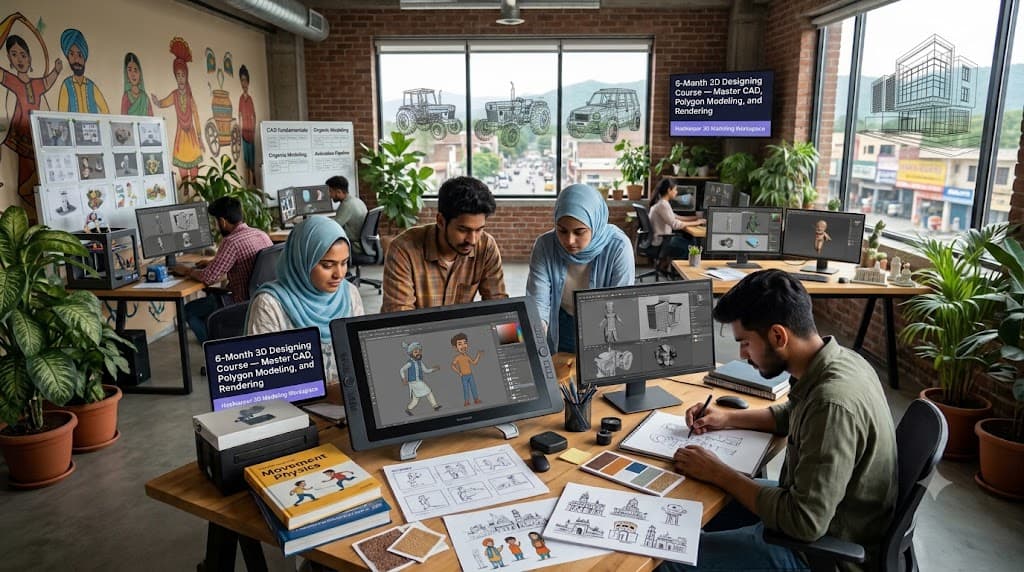
6-Month 3D Designing Internship in Hoshiarpur
Accurate 3D designing helps organizations visualize architectural spaces, model industrial components, create immersive environments, ensure precise scale proportions, and measure structural validation performance. Modeling and CAD software supports this work by organizing geometry meshes, material textures, lighting setups, blueprints, and rendering pipelines. However, reliable results depend on the designer's foundational spatial knowledge, drafting depth, and attention to engineering feedback.
Learning 3D Modeling and Computer-Aided Design in Hoshiarpur involves connecting design fundamentals with practical software tools and technical drafting methodologies. Students need to understand spatial depth, select suitable modeling techniques, test render outputs, and review structural accuracy metrics.
Learners can contact Techcadd Hoshiarpur to discuss their technical background, career goals, and available 6-month training options. A structured approach helps beginners develop confidence through realistic project portfolios rather than relying entirely on memorized tool shortcuts.
What Is 3D Designing and Modeling?
3D designing encompasses computer-aided design (CAD), polygon modeling, architectural visualization, and digital sculpting to create products and spaces that are structurally sound, visually compelling, and functional. Depending on the project requirements, scope, and industry standards, users can work with wireframe meshes, surface rendering, blueprint drafting, and material assets.
Learning the design process begins with understanding how physical dimensions are represented in digital coordinates. A spatial constraint, tolerance requirement, or assembly flow needs appropriate technical validation and structural classification.
A 6-Month 3D Designing Course in Hoshiarpur can introduce:
Setting up a professional CAD and modeling workspace.
Conducting dimensional research and blueprint reading.
Designing wireframe meshes and solid models.
Creating textured assemblies and lighting components.
Maintaining scalable material libraries and component blocks.
Reviewing polygon counts, scale units, and rendering resolutions.
Managing organized asset handoffs for manufacturing or rendering.
Software makes visual creation easier to process, but it does not replace spatial judgment and technical accuracy.
What Does 3D Project Management Involve?
Project management involves organizing the geometry and processes needed to support end-to-end product development. It connects technical drawings, wireframe models, component libraries, stakeholder feedback, and preparation for final rendering or fabrication.
Students should understand that applying a trendy render shader is only one part of the process. The model's topology, manufacturing constraints, and file optimization limits also need attention.
3D Design Training in Hoshiarpur can introduce:
Reviewing client specifications and structural feedback.
Maintaining component and material record sheets.
Checking mesh consistency across different export formats.
Recording documented design iterations and dimensional changes.
Comparing render times and file sizes across formats.
Preparing milestone review schedules.
Tracking unresolved geometric friction points and non-manifold edges.
The aim is a clear, traceable workflow in which spatial decisions can be connected with engineering requirements and client goals.
Why Learn CAD and 3D Modeling Together?
Parametric drafting and organic polygon modeling depend on the same underlying spatial laws and project constraints. Studying them together helps learners understand how dimensional changes affect mechanical fit, visual appeal, and final production success.
For example, a product visualization exercise can involve reading technical briefs, drafting precise dimensions, building solid meshes, rendering high-fidelity scenes, and preparing files for client review.
A 6-Month 3D Design Course in Hoshiarpur can help develop:
Practical spatial reasoning understanding.
Accurate mesh-building and drafting habits.
Familiarity with technical documentation and CAD standards.
Confidence in presenting 3D visualizations and engineering walkthroughs.
Better discrepancy-identification and critique skills.
Clearer communication with engineers, architects, and stakeholders.
Learning becomes more useful when students follow complete modeling workflows instead of practicing isolated shapes without checking their structural viability.
Who Can Learn 3D Designing?
3D design learning can suit students and professionals with different starting points. Technical knowledge may help, but beginners can start with design foundations before moving into advanced parametric assembly exercises.
Potential learners include:
Mechanical and civil engineering students.
Architecture and interior design graduates.
Graphic designers looking to transition into 3D visualization.
Product designers wanting to improve CAD skills.
Entrepreneurs prototyping physical inventions.
Professionals refreshing practical portfolio skills.
Before selecting 3D Designing Classes in Hoshiarpur, discuss prerequisites, software access, project assignments, and the expected starting level. Learners should understand whether the training begins with core drafting theories or assumes previous software experience. This makes it easier to identify a suitable learning path and prepare effectively.
Build Strong Spatial Foundations
Software operations make more sense when learners understand orthographic projection, perspective, scale, proportion, edge flow, and the purpose of user-centered spatial design principles.
Students should learn how geometry affects visual weight and why the model must reflect physical dimensions accurately.
A Basic 3D Design Course in Hoshiarpur can introduce:
Orthographic and isometric projection.
Technical blueprint reading.
Solid modeling versus surface modeling.
Polygon topology and edge flow fundamentals.
Scale and unit management.
Lighting and shadow basics.
Basic spatial critique evaluation.
Use straightforward examples first. Understanding the underlying dimensional intent helps students recognize distorted proportions even when the software allows the extrusion and the visuals appear clean.
Setting Up a 3D Project
Initial file setup influences later design iterations, so beginners should approach it carefully. Use a fictional product or architectural brief with clearly defined parameters for training.
Record the target scale, relevant industry standards, project scope, and unit settings (millimeters, inches, meters). Review grid snap settings before creating large component assemblies.
Useful setup habits include:
Following consistent naming conventions for layers, groups, and components.
Recording design assumptions and structural constraints.
Checking grid alignment and origin point positioning.
Separating draft geometries from final production models.
Confirming which output formats the exercise requires (OBJ, STEP, FBX).
Saving a version history backup before major structural changes.
Students exploring Practical 3D Training in Hoshiarpur should understand why a specific modeling technique is needed rather than copying it from another file without examining suitability.
Creating Wireframes and Technical Layouts
Wireframes and technical layouts organize spatial journeys into meaningful structural forms. Component libraries help maintain consistency across complex assemblies.
Incorrect base measurements can affect many later parts, making this an important area for practical review. Students should understand the purpose of each dimension and how it relates to the overall assembly.
Practice activities include:
Creating low-poly blocking models from blueprints.
Setting up global material and color styles.
Reviewing modifier stack and history rules.
Checking geometric elements against supplied project briefs.
Avoiding unnecessary overlapping polygons.
Correcting documented scaling and alignment mistakes.
A clear naming approach makes project files easier to understand for fabricators and collaborators. Similar part names should not be used casually when they could cause team members to select the wrong component during assembly.
Designing 3D Models and Visuals
3D modeling and visual texturing connect structural intent with realistic presentation. Learners need to read the complete creative or engineering brief and identify project expectations before selecting materials or drafting form factors.
3D Modeling Training in Hoshiarpur can include:
Designing responsive product casings or architectural rooms.
Preparing sample wireframe and shaded view variations.
Distinguishing primary focal objects from background elements.
Checking normal orientation and face directions.
Reviewing bevels, chamfers, and edge weighting.
Inspecting UV unwrapping and texture seam placement.
After model creation, compare the asset with the project brief and engineering guidelines. Then review the complete spatial composition. This multi-stage check helps identify proportion flaws that may not be obvious from a single viewport angle alone.
Simulation, Rigging, and Dynamics
Static models and animated or stress-tested assemblies are different deliverables. Similarly, modeling a mechanical part does not necessarily mean it will simulate correctly under physical forces.
Students should understand how constraints affect assembly movement and how to simulate realistic gravity, collision, and fluid dynamics.
Useful exercises include:
Setting up mechanical joints, hinges, and constraints.
Simulating cloth, soft body, and particle interactions.
Reviewing collision detection boundaries.
Checking weight distribution and center of mass.
Identifying broken mesh intersections and non-manifold geometry.
Preparing a technical simulation and stress test log.
Accurate setups support complex mechanical animations and structural analysis. Avoid hiding clipping meshes simply to make the viewport look finished. Gaps need proper vertex welding and, where necessary, topology revisions.
Rendering, Lighting, and Material Shaders
Rendering systems connect lighting setups, PBR shaders, ray tracing, and output quality. It requires consistent naming conventions and careful handling of texture maps and render passes.
A 3D Visualization and Rendering Course in Hoshiarpur can introduce:
Creating sample PBR material shaders (roughness, metallic, normal maps).
Defining appropriate studio lighting setups (three-point lighting, HDRI skies).
Organizing render layers and multi-pass exports.
Connecting camera focal lengths with perspective distortion.
Reviewing render engine settings (Path tracing, denoising).
Comparing render outputs with real-world color references.
Start with a small lighting scene so students can trace render times easily. Check whether the visual style and texture maps have both been represented appropriately. Scene layouts may look clean while individual materials contain broken texture paths, so review detail as well as global lighting.
Understanding Spatial Composition and Design Strategy
Spatial strategy and composition setup should reflect the project goals and target audience. Learners need to understand the purpose of visual hierarchy in 3D environments and the consequences of poor framing.
Architectural and Product Visualization Training in Hoshiarpur can introduce the use of mood boards, architectural references, blocking drafts, and peer review sessions within a controlled project dataset.
Students should practice:
Reading the supplied project briefs.
Checking relevant spatial and ergonomic details.
Reviewing lighting and composition insights.
Comparing visual renders with client expectations.
Identifying core visual clutter points in models.
Documenting recommendations for design improvement.
Design trends and client expectations can change. Training should develop the habit of consulting current industry benchmarks and drafting standards instead of relying only on remembered examples.
Model Review and Quality Evaluation
Design evaluation requires accurate feedback and a clear connection between structural flaws and the underlying mesh. Learners should check scale accuracy, topology cleanliness, lighting realism, and export compliance.
A 3D Evaluation Course in Hoshiarpur can use sample model files containing deliberate topology and scaling mistakes.
Useful checks include:
Correct unit scale and coordinate placement.
Clean quad topology without n-gons where applicable.
Appropriate texture resolution and UV layout efficiency.
Clear visual hierarchy and focal points.
Agreement between project goals and 3D execution.
Accurate references to production specifications.
Read through critique notes before final export. Missing geometric details should be investigated through structured audits rather than supplied through assumptions. A professional-looking render still needs careful mesh inspection.
Design Iterations, Revisions, and Edge Cases
Digital 3D models may change after initial client reviews. Proportions can feel unbalanced, engineering feedback may reveal clearance issues, or a rendering audit may require a documented correction.
Students should understand how a design iteration relates to original blueprints and how it affects file size and manufacturing compatibility.
Practical activities include:
Identifying the original structural or visual problem.
Recording the design rationale for dimensional changes.
Checking format and polycount compliance.
Maintaining version control references for model files.
Reviewing the impact on existing component libraries.
Listing matters requiring further engineering validation.
Do not delete or overwrite previous work files merely to force agreement between versions. A traceable iteration process makes portfolio presentation easier and helps explain why the product evolved.
Portfolio Review and Render Presentation
Portfolios help students showcase their 3D design skills to potential employers. Beginners should learn to move between high-level rendered showcase shots and the detailed wireframe breakdowns behind them.
Useful practice deliverables include blueprint sketches, wireframe turnaround views, textured high-poly renders, exploded assembly diagrams, and technical breakdown documentation. The available portfolio artifacts depend on the project scope and software used.
Learners should ask:
Does the portfolio demonstrate clean topology and accurate scale?
Are all rendering skills connected to solid foundational modeling?
Can design choices be traced back to project briefs?
Are responsive or multi-angle views reflected appropriately?
Do unresolved structural questions remain?
What needs further refinement before publishing?
Portfolio presentation should produce clear, understandable storytelling. Add clear notes about production challenges and software constraints instead of presenting an unoptimized model as a finished masterwork.
Collaborative Tools for Supporting Work
Collaborative design tools are useful for cloud model sharing, version control, feedback comments, and asset management. They should support a clear workflow rather than become an unstructured collection of random files.
Important beginner skills include:
Consistent object, material, and layer naming.
File archiving and asset packing (collect all dependencies).
Outliner organization and grouping.
Organizing project directories effectively.
Using version control and incremental saves.
Checking export compatibility across different CAD/3D packages.
Separating exploration drafts from production finals.
After exporting model files, review several formats to confirm that scale and geometry remain intact. A neat project folder may still contain flipped normals or missing textures. Document the design background, target audience, and project goals so engineers and clients can understand the solution.
Practical Projects and Professional Habits
A complete 6-month 3D design project helps learners connect technical drafting, polygon modeling, texturing, lighting, simulation, rendering, and portfolio presentation.
Useful assignments include organizing design briefs, creating scale blueprints, modeling complex assemblies, setting up PBR materials, rendering final product visualizations, and writing a comprehensive case study.
Keep training files organized and separate from live client projects. Protect sensitive project assets and follow agreed pipeline standards.
Professional habits also include meeting milestone deadlines, incorporating critique constructively, preserving incremental backups, and explaining design decisions clearly. These behaviors make software knowledge more valuable within an engineering or creative team. Progress should be demonstrated through well-crafted, accurate 3D work rather than the number of polygons modeled.
Explore Learning Options with Techcadd
When discussing a Techcadd 3D Design Course in Hoshiarpur, explain your current technical background and the career roles you want to target with confidence.
Ask about spatial design fundamentals, software versions (such as AutoCAD, Blender, SolidWorks, or Maya), practical project datasets, mentor feedback, and portfolio reviews. Confirm course duration, batch timings, equipment requirements, fees, and any certification details directly with Techcadd.
A suitable learning plan should help students explain design rationales, master scale and proportion, execute clean topologies, and recognize technical issues needing further attention. Clear expectations make it easier to assess progress through completed project portfolios and choose relevant career next steps.
Conclusion
Learning 3D Designing and Modeling in Hoshiarpur can provide a foundation in technical drafting, spatial composition, polygon modeling, texturing, rendering, and design evaluation. Reliable work combines software proficiency with spatial awareness, structured workflows, and thoughtful iteration.
Contact Techcadd Hoshiarpur to discuss relevant 6-month training options. Practice complete design workflows, investigate structural feedback carefully, and develop the confidence to support routine 3D design responsibilities while recognizing when additional guidance is required.